
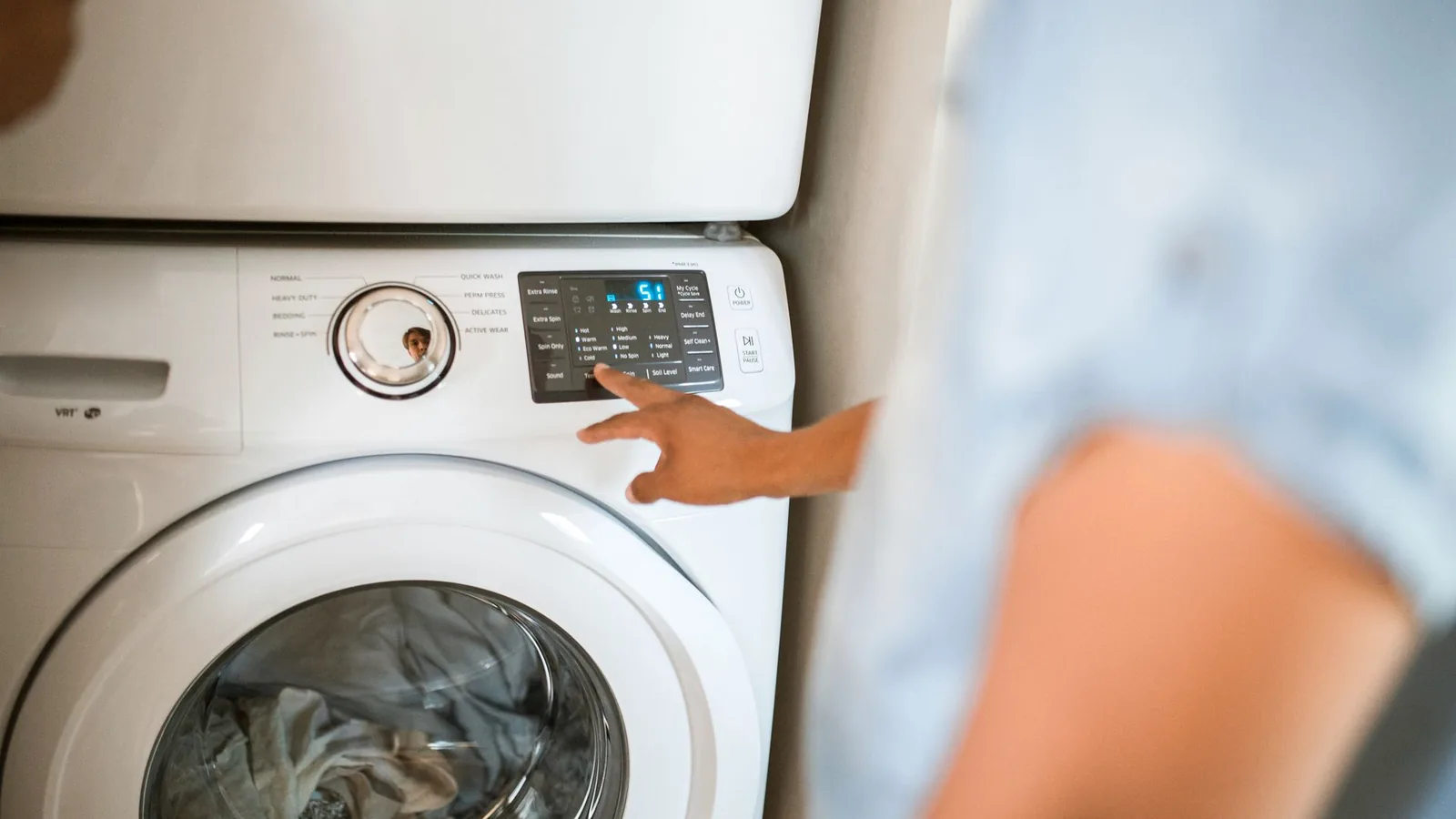
The panel has to explain the appliance and belong to it
Users judge finish, clarity, and control logic before they know the layer stack. Appliance interface development therefore starts with what is seen, what appears after power-up, and what must repeat across every model.
- 01Look right before power-up
- Color, finish, window tint, printed legends, seams, and the relationship to the bezel establish the product before a control is touched.
- 02Explain every active state
- Icons, indicators, displays, dead-front graphics, feedback, and software must tell one consistent story when the appliance is running.
- 03Repeat across the product line
- Model, language, finish, and feature variants need one controlled master so the family stays recognizable without mixing artwork or parts.
One appliance category does not define the front panel
Laundry, cooking, refrigeration, air treatment, countertop, and commercial equipment put different loads on the same visible surface. The useful design brief starts with how the user approaches, operates, cleans, and recognizes the appliance.
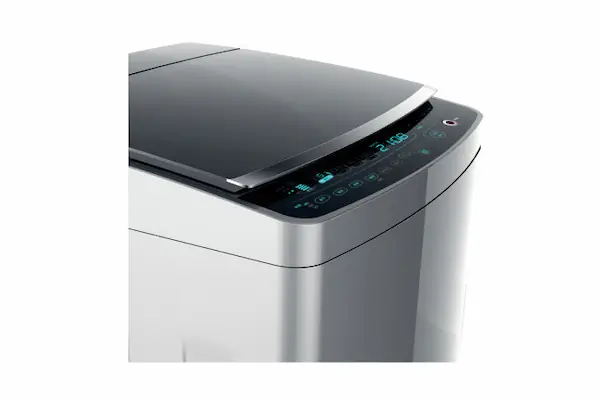
Laundry and dishwashing
Washers, dryers, combination units, dishwashers, and compact laundry appliances.
- Use conditions
- Users operate with damp hands, detergent residue, laundry products, and changing room light. Consoles may be curved, angled, wiped frequently, and exposed to vibration or warm humid air.
- Interface direction
- Coordinate window readability, cycle hierarchy, tactile or capacitive input, perimeter bond, console geometry, and legends that remain clear around water and cleaning zones.
- Approval
- Review the mounted console in off, standby, active, end-of-cycle, fault, and cleaning states, then repeat appearance and operation checks after the project exposure sequence.
Cooking and kitchen equipment
Ovens, ranges, microwaves, hoods, coffee systems, food processors, and heated countertop equipment.
- Use conditions
- Steam, grease, food residue, cleaner, warm surfaces, bright task lighting, and dark kitchens affect the face differently. A glossy black panel may look premium but show fingerprints or glare in real use.
- Interface direction
- Define distance from heat and steam, cleaning chemistry, anti-glare or texture zones, icon contrast, powered brightness, leakage, and the boundary around displays and mechanical controls.
- Approval
- Use the intended bezel, lighting, temperature profile, grease or cleaner contact, wiping media, and powered states to judge appearance, bond, windows, controls, and recovery.
Refrigeration and dispensing
Refrigerators, freezers, beverage dispensers, ice makers, and water-control panels.
- Use conditions
- Condensation, wet fingers, drips, cool surfaces, interior and exterior lighting, and nearby water openings can meet a dead-front display or dispenser control.
- Interface direction
- Separate the operator surface from water paths, coordinate clear and tinted windows, preserve legibility across temperature and condensation, and close the cable and enclosure boundary.
- Approval
- Inspect unpowered and illuminated appearance, wet-hand operation, edge condition, window clarity, connector zone, and internal evidence after the OEM-defined moisture and recovery sequence.
Air treatment and climate controls
Air purifiers, humidifiers, dehumidifiers, fans, portable climate equipment, and smart home controls.
- Use conditions
- The panel may remain visible in living spaces for long periods, operate at night, collect dust, and present filter, timer, air-quality, network, or maintenance states to a nontechnical user.
- Interface direction
- Keep routine settings simple, distinguish maintenance and connectivity states, control night brightness, select a cleanable surface, and coordinate vents or moisture sources with the panel edge.
- Approval
- Review daylight, dim-room, sleep, alert, filter-change, network, and cleaning states on the complete appliance with its production display and firmware.
Small countertop appliances
Blenders, mixers, cookers, beverage machines, scales, grooming products, and compact kitchen devices.
- Use conditions
- Limited face area must carry brand, settings, feedback, and safety information near food, splash, heat, fingernails, repeated wiping, and storage handling.
- Interface direction
- Reduce visual clutter, protect critical legends, choose key size and feedback for the user, control cutouts and edge land, and keep the tail or connector clear of compact internal hardware.
- Approval
- Use the intended housing, grip, viewing angle, liquids, cleaning method, storage, cable route, and representative tasks when approving the interface sample.
Commercial and specialty appliances
Food-service equipment, commercial laundry, vending-adjacent appliances, sanitation equipment, and OEM specialty controls.
- Use conditions
- Multiple operators, high use, stronger cleaning, service access, gloves, training labels, and replacement parts can matter more than domestic styling assumptions.
- Interface direction
- Define user roles, press frequency, cleaning and service procedures, language or symbol needs, access level, connector replacement, and production traceability with the equipment OEM.
- Approval
- Run representative shift, cleaning, fault, and service tasks on the installed panel and record component evidence separately from complete-equipment approval.
Approve the panel in every state the user can see
An appliance overlay is not one static artwork. The same surface is judged when power is off, when information is illuminated, and while the user is pressing, wiping, or viewing it from an angle.
Unpowered appearance
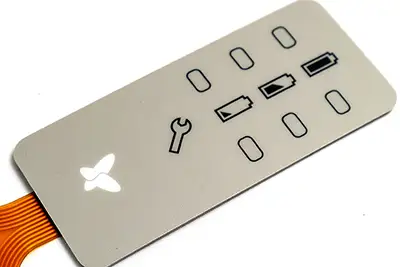
Release base color, texture, gloss, printed graphics, concealed features, window tint, bezel match, seams, and allowable show-through under named room lighting.
Approval evidenceApprove a production-print sample on the intended bezel while the display and LEDs are off.
Powered information
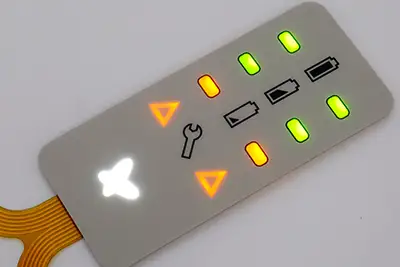
Release icon color, brightness, diffusion, masking, light leakage, hot spots, display window appearance, dimming, and the hierarchy between permanent and illuminated labels.
Approval evidenceApprove matched standby, active, alert, and dim-room states with the intended LEDs, display, diffuser, drive settings, and enclosure.
Touch and cleaning state
Define tactile, non-tactile, or capacitive feedback, wet or greasy fingers, press location, accidental activation controls, wipe lockout, and visible fingerprints or streaking.
Approval evidenceOperate and clean the mounted panel with representative users, contact conditions, software states, and acceptance criteria.
Build the visible surface as an engineered stack
The consumer sees one panel, but its appearance depends on film, hard coat, ink, opacity, texture, windows, embossing, adhesive, circuit, and housing. Each layer needs a release decision tied to the appliance.
Film and finish
Select the front film, hard coat, matte or gloss level, selective texture, anti-glare need, and cosmetic side around the named wear, cleaner, and lighting conditions.
Graphics and opacity
Release vector artwork, positive and reverse print, ink sequence, white or dark background behavior, concealed graphics, show-through limits, and registration to the control stack.
Windows and indicators
Define clear, tinted, smoked, dead-front, or cutout zones with active display area, bezel overlap, adhesive, haze, glare, viewing angle, and powered-state criteria.
Emboss and key location
Choose flat, pillow, rim, rail, or other project geometry around key feel, finger location, cleaning, artwork stress, dome alignment, housing support, and user strength.
Edges and openings
Control perimeter shape, corner radius, narrow lands, display and control cutouts, knob or fastener openings, and where liquids or wiping pressure can reach a laminate edge.
Circuit and electronics
Coordinate tactile domes, printed circuit, FPC or PCB, LEDs, diffuser, shielding, tail exit, connector, firmware feedback, and appliance electronics when the overlay is part of an active panel.
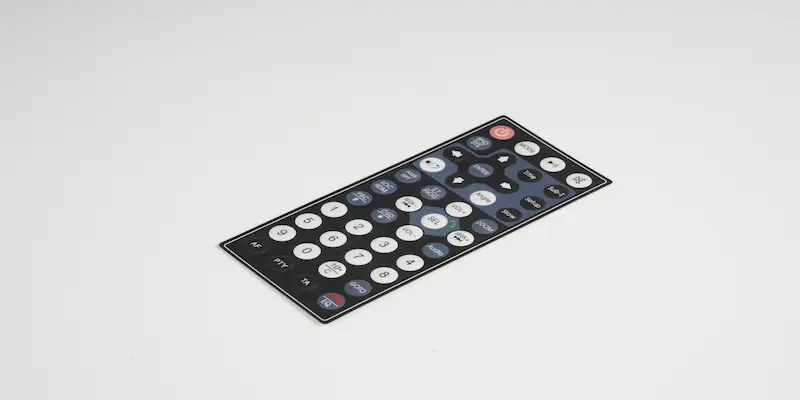
Name what reaches the appliance face
Household use is not a single benign environment. Heat, steam, detergent, grease, condensation, fingernails, abrasive wiping, sunscreen, cosmetics, and cleaning products attack different parts of the panel and should not be replaced by one generic durability claim.
Every exposure needs a substance, zone, duration, frequency, and acceptance result.
Water, humidity, and condensation
Define splash, damp wiping, dripping, steam, condensation, humidity, mounting angle, exposed edges, dry zone, powered state, and recovery.
Inspect the mounted face, perimeter, openings, tail route, connector, enclosure joint, optics, adhesion, and operation after the defined sequence.
Heat and temperature cycling
Provide normal and abnormal operating temperatures at the panel, heat-source distance, dwell, cycling, cool-down, storage, and differential expansion inputs.
Check color, flatness, bond, windows, emboss, key response, circuitry, and housing interface after the production-intent cycle.
Grease, food, detergent, and cleaners
List actual substances or active chemistry, concentration, temperature, contact zone, dwell, wiping media, pressure, rinse, dry step, and frequency.
Record gloss, color, haze, staining, swelling, print, edge movement, tactile feel, and electrical function against agreed limits.
Abrasion and repeated touch
Identify fingernails, rings, cleaning cloths, pads, brushes, product contact, button frequency, transport, and scratch-prone zones.
Approve surface finish, sub-surface legends, emboss, windows, and acceptance criteria using the project contact and cleaning sequence.
Light and cosmetic aging
Name indoor sunlight, task light, UV source if relevant, display heat, exposure direction, duration, and how appearance will be judged beside other appliance parts.
Retain a physical reference and inspect color, contrast, gloss, yellowing, haze, concealed graphics, and powered appearance after conditioning.
Send the physical reference with powered and unpowered requirements before the print stack is released.
Bond the overlay to the production housing, not an ideal coupon
Appliance panels often mount to molded plastics, painted or coated metal, curved consoles, ribs, openings, or bezels. Surface chemistry and geometry decide the bond as much as the adhesive name.
The production substrate is part of the interface specification.
Housing material and finish
Release the exact resin or metal, blend, recycled-content change if relevant, coating, texture, gloss, mold release restriction, contamination limit, and supplier variation.
Surface energy and preparation
Define cleaning, primer where approved, handling, assembly environment, storage, and time between preparation and bonding. Do not assume one adhesive fits every ABS, PC, blend, paint, or powder coat.
Geometry and support
Control curvature, flatness, ribs, bosses, cutouts, bezel overlap, fasteners, unsupported key zones, edge steps, and the datums used to place the part.
Assembly pressure and dwell
Specify liner removal, placement fixture, pressure path, roller or press method, temperature, dwell, rework limits, and when the assembly can enter the next operation.
Tail, connector, and service
Set tail exit, slot, bend route, stiffener, connector, harness restraint, dry or protected zone, access, replacement sequence, and clearance from moving, hot, or sharp hardware.
Control color, language, and model variants from one master
An appliance family can share one enclosure while changing finish, language, keys, lighting, connectivity, or market markings. The release system should make each variable obvious without weakening common datums and brand appearance.
- 01
Freeze the common master
Lock panel outline, datums, windows, key centers, hidden zones, tail, connector, common graphics, color references, and inspection locations.
- 02
Define controlled variables
Create an explicit matrix for model name, language, icons, finish, enabled keys, dead-front features, LEDs, display, circuit, labels, and market-specific content.
- 03
Approve physical references
Use named lighting, a physical color or part reference, off/on samples, adjacent bezel or housing parts, and an approved sample for each meaningful visual branch.
- 04
Protect production identity
Tie artwork, bill of materials, inspection plan, packaging label, part number, revision, deviation, and change approval to the correct model and market.
Release an appliance-mounted sample
A loose overlay can confirm print and dimensions, but it cannot show bezel mismatch, housing curvature, window alignment, light leakage, key support, cleaning access, tail strain, firmware feedback, or the complete consumer view.
Appearance
Inspect off, standby, active, alert, and dim states from intended distances and angles beside the production housing, display, knobs, and trim.
Operation
Complete representative setup, routine, child-lock or protected, fault, recovery, and maintenance tasks with intended feedback and software states.
Exposure
Apply project heat, humidity, liquid, grease, cleaner, abrasion, handling, and recovery sequences to the production-intent mounted article.
Release evidence
Record artwork, color reference, materials, dimensions, visual states, circuit or key map, inspection limits, approved sample, variant, revision, and OEM-owned appliance validation.
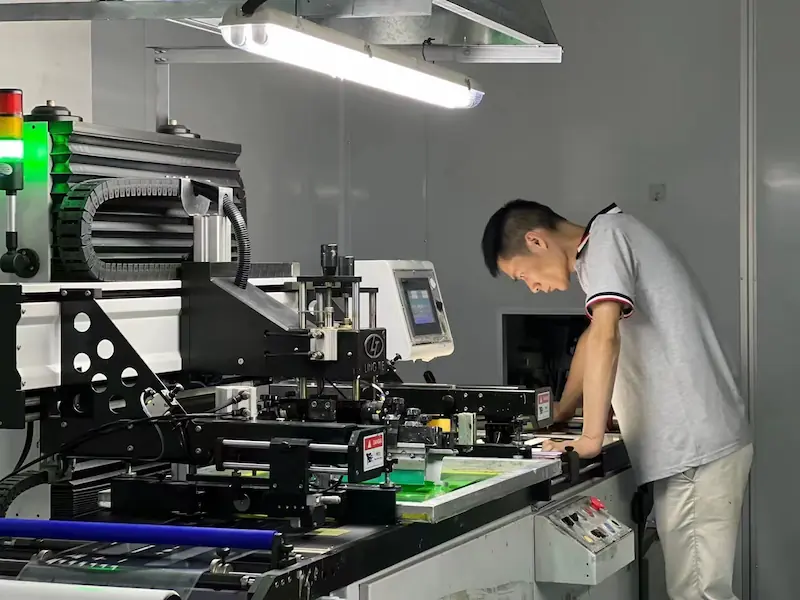
What JASPER can hold consistent in production
JASPER manufactures the released overlay or active interface component and records the checks named on its drawing and control plan. The useful evidence is tied to the approved appliance model, material set, artwork, and revision.
- Revision set
- Released artwork, color reference, circuit master where applicable, bill of materials, dimensions, variant matrix, and approved sample.
- Process route
- Printing, circuit production, precision cutting, lamination, assembly, and project-defined handling steps.
- Production checks
- Registration, print appearance, dimensions, windows, color reference comparison, continuity, key placement, connector, and assembly condition where specified.
- Release records
- Visual, dimensional, functional, packing, labeling, and other project-defined inspection evidence tied to the correct model and revision.
The appliance OEM remains responsible for intended use, hazard analysis, consumer instructions, cleaning method, food-contact or skin-contact decisions where applicable, software, child safety, thermal and electrical safety, EMC, flammability, ingress, complete-appliance reliability, market certification, and finished-product validation.
Choose the interface, then close the visible details
Product directions
Printed decorative and functional surfaces with project-specific color, texture, windows, cutouts, embossing, adhesive, and inspection criteria.
A smooth control surface for appliances that use visual, audible, or software feedback and controlled wipe behavior.
Integrated indicators, dead-front icons, or illuminated controls approved in powered and unpowered states.
A smooth touch interface for appliance fronts that coordinate wet-touch behavior, display, grounding, firmware, and housing integration.
Design resources
Decide whether the project needs a printed face only or an integrated electrical switching assembly.
Compare overlay films, hard coats, inks, circuits, windows, adhesives, and support layers by exposure.
Define LEDs, light guides, dead-front masking, diffusion, brightness, leakage, and matched-state approval.
Match the adhesive and assembly process to the actual molded plastic, metal, paint, texture, curvature, and exposure.
Send the appliance interface package before artwork release
A useful quotation identifies the product family, visual states, housing surface, real-use exposure, electrical boundary, and variant plan. Early industrial-design files are enough when open decisions are marked.
Open Appliance Overlay Form- appliance category, target users, market, operating states, cleaning method, and representative tasks
- front-panel, bezel, housing, display, knob, cutout, curvature, flatness, and assembly drawings
- overlay or active-switch scope, key feel, capacitive behavior, windows, indicators, backlighting, and firmware states
- film, finish, texture, color reference, adjacent part, artwork, language, icon, model, and market variants
- water, humidity, condensation, heat, grease, food, detergent, cleaner, abrasion, and light exposure
- adhesive substrate, resin or coating, preparation, pressure, dwell, tail exit, connector, harness, and service route
- prototype quantity, annual estimate by variant, sample deadline, approval states, inspection records, labeling, and packaging
Appliance Control Panel Overlay FAQ
What is the difference between an appliance graphic overlay and a membrane switch?
A graphic overlay is the printed visible surface that carries legends, texture, windows, cutouts, and adhesive. A membrane switch adds an electrical contact system beneath that surface. Choose from the appliance electronics and user feedback; a project can also combine an overlay with capacitive touch, a display, PCB, or complete HMI assembly.
Can appliance control panel icons remain hidden until they are backlit?
Yes. Dead-front graphics use controlled background, ink opacity, masking, diffusion, and lighting so selected information is subdued when unpowered and visible when illuminated. Approve matched off, standby, active, alert, and dim-room samples with the intended LEDs, display, drive settings, and enclosure.
Which overlay material is best for a washer, dishwasher, or oven control panel?
There is no universal appliance overlay material. Selection depends on panel temperature, steam, humidity, water, grease, cleaners, abrasion, lighting, window optics, embossing, key construction, housing geometry, and expected appearance. Release the complete film, print, finish, adhesive, and mounted-sample test together.
Can an appliance overlay withstand grease, detergent, and household cleaners?
A material and print stack can be selected and tested for named substances, but household cleaner is not a complete specification. Provide the actual product or chemistry, concentration, temperature, dwell, contact zone, wiping media, pressure, rinse or dry step, and frequency, then define visual, bond, tactile, optical, and electrical acceptance.
How is a control panel overlay bonded to molded plastic or painted metal?
Adhesive selection follows the exact resin, blend, recycled-content change where relevant, paint or powder coat, texture, curvature, flatness, mold-release restriction, surface preparation, assembly pressure, dwell, exposure, and usable bond land. Test on the production housing or a representative approved substrate rather than a generic smooth coupon.
How should an appliance OEM control colors and language variants?
Freeze common datums and a physical visual reference, then define a model matrix for color, finish, language, icons, enabled keys, hidden graphics, lighting, circuit, labels, and market content. Tie each artwork, bill of materials, sample, inspection record, package label, part number, and revision to the correct variant.