

Approve the keypad as part of the entry sequence
An access control keypad is the point where identity, weather, human behavior, mounting hardware, and the controller meet. A reliable design lets a person find the keys, enter a code, understand the result, and recover from an error without weakening the enclosure or confusing the security system.
- 01
Approach
Confirm how users reach the reader: straight on, from a vehicle, beside a door swing, through a gate pedestal, in bright sun, or in low light.
- 02
Locate
Set key size, spacing, legend contrast, orientation, backlighting, and tactile references so the first press does not require trial and error.
- 03
Enter
Match the numeric order, function keys, press force, debounce, timeout, and masked input behavior to the controller and intended users.
- 04
Confirm
Define what a valid press, accepted code, denied code, timeout, lockout, and system fault look and sound like before tooling is released.
- 05
Recover
Make correction, cancel, retry, service, and emergency procedures clear without exposing programming or privileged functions on the public surface.
The same PIN pad does not belong in every doorway
The installation decides which keypad construction is useful. Indoor office access, an exposed gate post, a vehicle entrance, and an industrial cabinet can share a 3 x 4 key map while requiring different surfaces, feedback, sealing, cable protection, and service access.
- 01
Indoor doors and shared buildings
Office entries, apartment common areas, schools, clinics, storage rooms, and staff-only doors.
- Operating pressure
- Frequent users learn the layout quickly, while visitors need obvious instructions. Cleaning, fingerprints, scratched legends, door-frame width, and a quiet confirmation tone often matter more than severe weather.
- Design direction
- Prioritize readable legends, a familiar numeric pattern, clear enter and cancel functions, consistent key feel, controlled indicator brightness, a cleanable face, and a mounting footprint that does not crowd the frame or handle.
- Installed proof
- Run normal entry, correction, denied access, visitor guidance, cleaning, and service removal on the intended door frame with the real controller response.
- 02
Outdoor doors and exposed frames
Exterior personnel doors, service entrances, pedestrian gates, storage compounds, and rooftop access.
- Operating pressure
- Wind-driven rain, runoff, UV, condensation, dust, cold fingers, gloves, sealant, uneven walls, and exposed cable paths can defeat a keypad that worked on a bench.
- Design direction
- Define the water path around the face, bezel, fasteners, perimeter, tail or cable exit, back box, wall penetration, drain path, and connector. Select the overlay, ink, adhesive, gasket, housing, and feedback method as one installed boundary.
- Installed proof
- Test a production-intent mounted assembly after realistic conditioning and inspection, including edges, windows, fasteners, cable entry, drainage, and the controller connection.
- 03
Vehicle gates and parking access
Parking entrances, loading yards, barrier gates, delivery lanes, and vehicle-height pedestals.
- Operating pressure
- Users may operate from a window at an angle, reach with one hand, wear gloves, work in glare or darkness, and press harder when feedback is delayed. Pedestals also experience vibration, spray, impact, and wide temperature changes.
- Design direction
- Set approach height, reach envelope, target size, legend scale, backlight, audible or visual feedback, cable restraint, pedestal interface, impact protection, and service access around the actual lane geometry.
- Installed proof
- Evaluate seated reach, day and night visibility, fast repeated use, code correction, barrier delay, wet operation, and maintenance access on the intended pedestal or a dimensional fixture.
- 04
Intercom, reader, and keypad combinations
Video door stations, intercom panels, card-plus-PIN readers, lift controls, and multi-technology entry terminals.
- Operating pressure
- A camera, speaker, microphone, display, card antenna, indicators, and keypad compete for the same front area. Poor hierarchy can make users cover a camera, miss a prompt, or present a credential at the wrong point.
- Design direction
- Map the complete sequence and reserve visual zones for calling, listening, reading, credential presentation, PIN entry, status, and accessibility cues. Review antenna, grounding, audio, lighting, and opening clearances with the electronics team.
- Installed proof
- Complete visitor, resident, card-plus-PIN, denied, timeout, call, answer, low-light, and noisy-environment workflows on the powered station with production firmware.
- 05
Industrial cabinets and equipment access
Machine enclosures, control cabinets, maintenance panels, tool cribs, clean utilities, and restricted production equipment.
- Operating pressure
- Gloves, oil, dust, cleaning chemicals, vibration, electrical noise, and infrequent high-consequence use change the design priority from cosmetic familiarity to deliberate operation and service traceability.
- Design direction
- Separate access entry from machine commands, set glove targets and feedback, name exposures, protect the cable route, define shield and ground interfaces, and keep authorization logic in the machine or access controller.
- Installed proof
- Test with intended gloves, contaminants, cleaning, cabinet construction, grounding, controller input, maintenance tools, and the complete lock or enable sequence.
- 06
Attendance and shared-facility terminals
Time clocks, locker systems, shared workshops, fitness facilities, parcel rooms, and staff service terminals.
- Operating pressure
- High turnover creates mixed familiarity, rapid repeated entry, queue pressure, frequent wiping, and accessibility needs. The terminal may also combine a display, scanner, credential reader, and networked application.
- Design direction
- Use a recognizable layout, clear prompts, visible system states, durable legends, easy-clean transitions, and enough separation between PIN entry and adjacent functions. Define privacy and data handling at the system level.
- Installed proof
- Observe first-time and frequent users through entry, correction, timeout, queue use, cleaning, network interruption, and service recovery with production interface behavior.
Choose the input technology from use and exposure
Membrane, silicone, capacitive, piezo, and metal keypads solve different parts of the access problem. Selection starts with the operator and installation, then moves to housing, electronics, appearance, tooling, and validation.
- 01
Membrane keypad
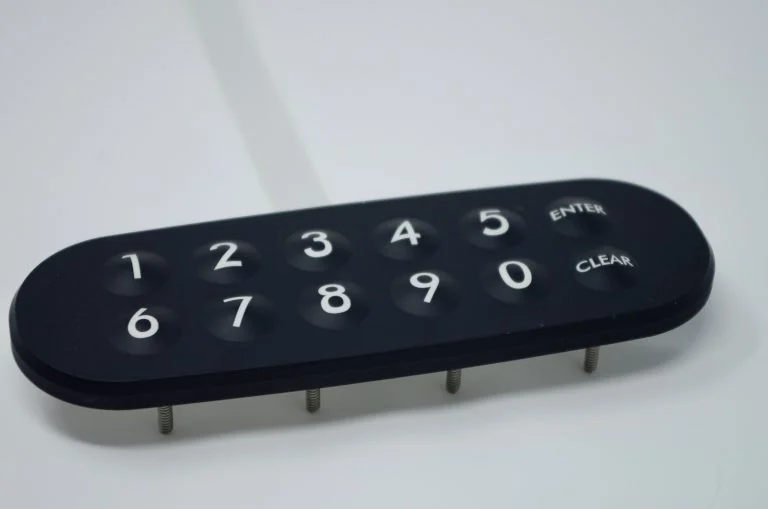
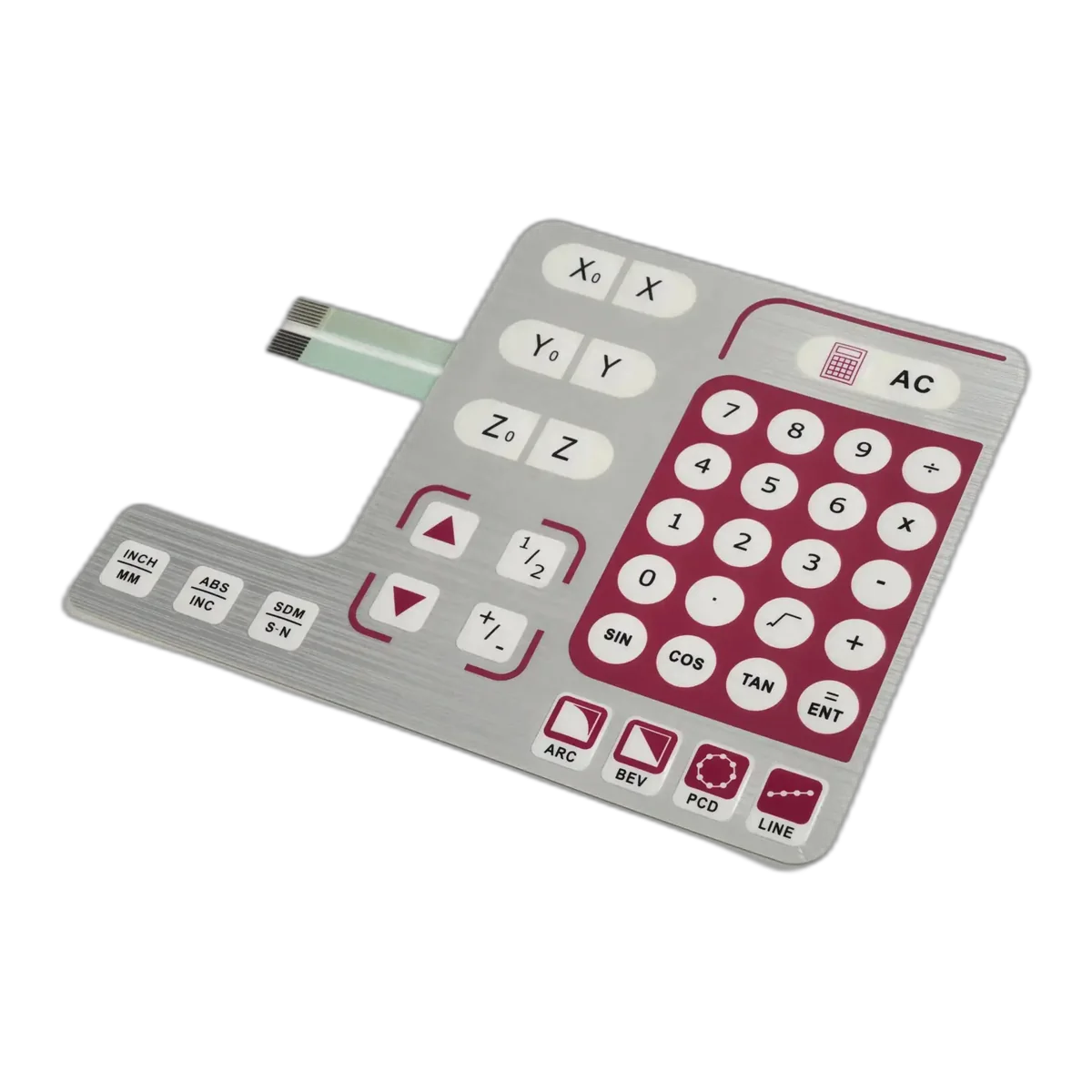
Low-profile custom graphics, defined tactile or non-tactile zones, windows, indicators, and flexible tails for protected panels or integrated reader housings.
Support beneath the key area, perimeter land, tail exit, exposed edges, abrasion, and the installed seal must be designed with the enclosure.
- 02
Silicone rubber keypad
Raised keys, strong tactile geometry, glove-friendly shapes, light pipes, backlighting, and integration with a rigid housing or PCB.
Tooling, compression set, legend method, coating, drainage, key travel, web geometry, PCB contact, and housing seal need joint release.
- 03
Capacitive touch panel
A flush appearance and easy-to-wipe front where bare-finger use, controller tuning, and the cover stack are controlled.
Water films, gloves, grounding, electrical noise, cover thickness, false touches, proximity behavior, and missing tactile confirmation require system testing.
- 04
Piezo or metal keypad
Public or exposed installations that prioritize a rigid face, direct surface cleaning, and resistance to deliberate physical abuse.
The specialist keypad, metalwork, fasteners, rear sealing, cable gland, controller interface, and vandal-resistance evidence remain part of the complete product program.
Make every press visible in the controller state
A key that moves is not enough. The operator needs a consistent relationship between physical input and the controller's response, especially when glare, gloves, traffic noise, network delay, or a locked door makes the result uncertain.
- 01
Key target and spacing
Release key centers, active target, gaps, edge clearance, emboss or raised geometry, support surface, and expected press technique from the installed reach position.
- 02
Legends and orientation
Use a familiar numeric layout, durable high-contrast characters, unambiguous enter and cancel symbols, and a visible orientation cue. Do not rely on color alone.
- 03
Tactile confirmation
Select dome, emboss, silicone geometry, piezo response, or non-tactile operation against gloves, press frequency, support, noise, and the controller's visual or audible feedback.
- 04
Night visibility
Define which keys, legends, icons, or perimeter features illuminate; then approve brightness, diffusion, hot spots, leakage, contrast, standby, and fault states in real ambient light.
- 05
Controller timing
Agree scan method, debounce, held key, repeated key, simultaneous input, timeout, correction, lockout, and recovery behavior. These functions belong to the electronics and firmware release.
- intended users, accessibility needs, gloves, reach angle, dominant hand, and first-time use
- numeric order, enter, cancel, correction, call, credential, and protected service functions
- tactile, visual, audible, display, and lock response for accepted, denied, busy, fault, and offline states
- daylight, darkness, wet face, contamination, rapid entry, repeated use, and delayed system response
Send the current package with unresolved decisions marked for an interface review.
Map exposure before naming a protection target
A keypad component cannot create an enclosure rating by itself. Water, dust, UV, cleaning fluid, ice, heat, impact, and public wear reach the assembly through different paths, so each path needs a material choice, a physical boundary, and a finished-product test.
Name the path. Define the boundary. Test the mounted unit.
- 01
Water and runoff
Mark direct rain, hose or splash, runoff from the wall, standing water, capillary edges, fasteners, windows, seams, cable entry, and drainage. A sealed key area does not correct an open rear box.
- 02
Condensation and temperature
Define storage and operating ranges, solar heating, cold start, internal heat, condensation cycles, ice, material movement, and recovery. Review adhesive, gasket compression, legends, LEDs, and controller behavior after conditioning.
- 03
UV and surface wear
Name sun exposure, orientation, expected years, cleaning frequency, fingernails, rings, tools, grit, and deliberate scratching. Select overlay, ink, hard coat, texture, molded legend, or metal marking to match the wear mechanism.
- 04
Cleaning and chemicals
List the actual cleaner, concentration, contact method, dwell, wipe material, frequency, and whether fluid can pool at edges. Test printed colors, coating, adhesive, gasket, housing, and window together.
- 05
Impact and misuse
Separate ordinary public use from deliberate attack. If impact or vandal resistance matters, define the force, tool, direction, access to fasteners, pry edges, wall strength, rear box, cable protection, and acceptance method for the complete unit.
The installation drawing is part of the keypad drawing
Surface mounting, flush mounting, door-frame mounting, and pedestal mounting create different edge, back-box, cable, drain, fastener, and service conditions. Release the interface against the real substrate instead of leaving it to the installer.
- 01
Mounting plane
Define wall, frame, panel, metal, coating, molded housing, roughness, flatness, step, curvature, paint, and preparation. Confirm whether adhesive, gasket, fasteners, bezel, or a combination establishes retention and sealing.
- 02
Perimeter and openings
Dimension continuous bond or gasket land, edge distance, corner radii, windows, microphone and speaker holes, reader areas, fasteners, pry edges, and any opening that crosses the environmental boundary.
- 03
Cable and connector
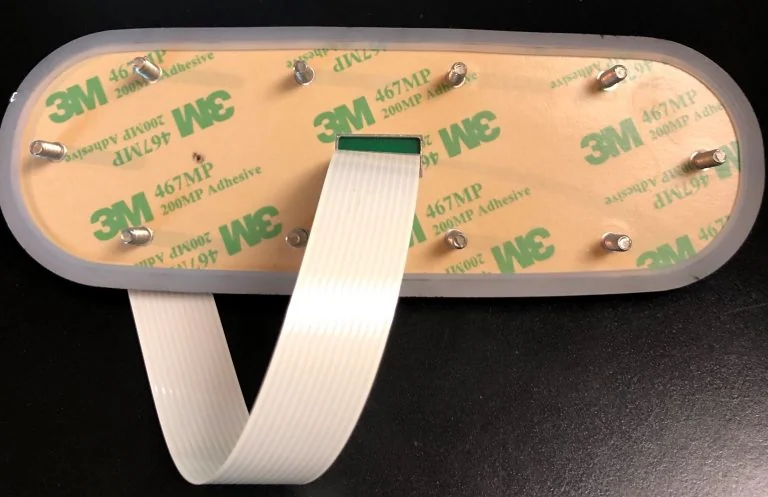
Release exit location, bend direction, cable or tail length, connector family, contact side, pinout, strain relief, gland, conduit, drip loop, service slack, and protection from sharp metal or door motion.
- 04
Back box and drainage
Show internal clearance, PCB and lock-controller location, gasket compression, condensation path, drain or vent strategy, wire entry, mounting hardware, and the surfaces a technician must reach.
- 05
Service sequence
Document how the face is removed, supported, disconnected, inspected, resealed, and returned to service without damaging the cable, adhesive land, gasket, fasteners, wall finish, or security settings.
Keep the keypad boundary separate from access authority
JASPER can manufacture a custom interface component or agreed HMI assembly. The access-control OEM owns identity decisions, credential handling, lock control, event records, communications, tamper response, cybersecurity, life-safety coordination, and finished-system compliance.
- Keypad and front assembly
- Artwork, legends, key geometry, tactile construction, circuit, tail or cable, connector, indicators, backlighting, shielding interface, adhesive, gasket, carrier, and agreed inspection.
- Mechanical integration input
- Dimensions, tolerances, perimeter land, openings, fasteners, back-box clearance, drainage, strain relief, service route, and production-intent samples for OEM review.
- Controller and software
- PIN processing, credential rules, enrollment, timeout, lockout, duress or emergency behavior, audit records, encryption, network operation, updates, privacy, and fault recovery.
- Door and site system
- Reader placement, power, lock, relay, request-to-exit, alarm, fire or emergency release, cabling, enclosure rating, grounding, accessibility, codes, installation, commissioning, and maintenance.
Validate a mounted, powered access sequence
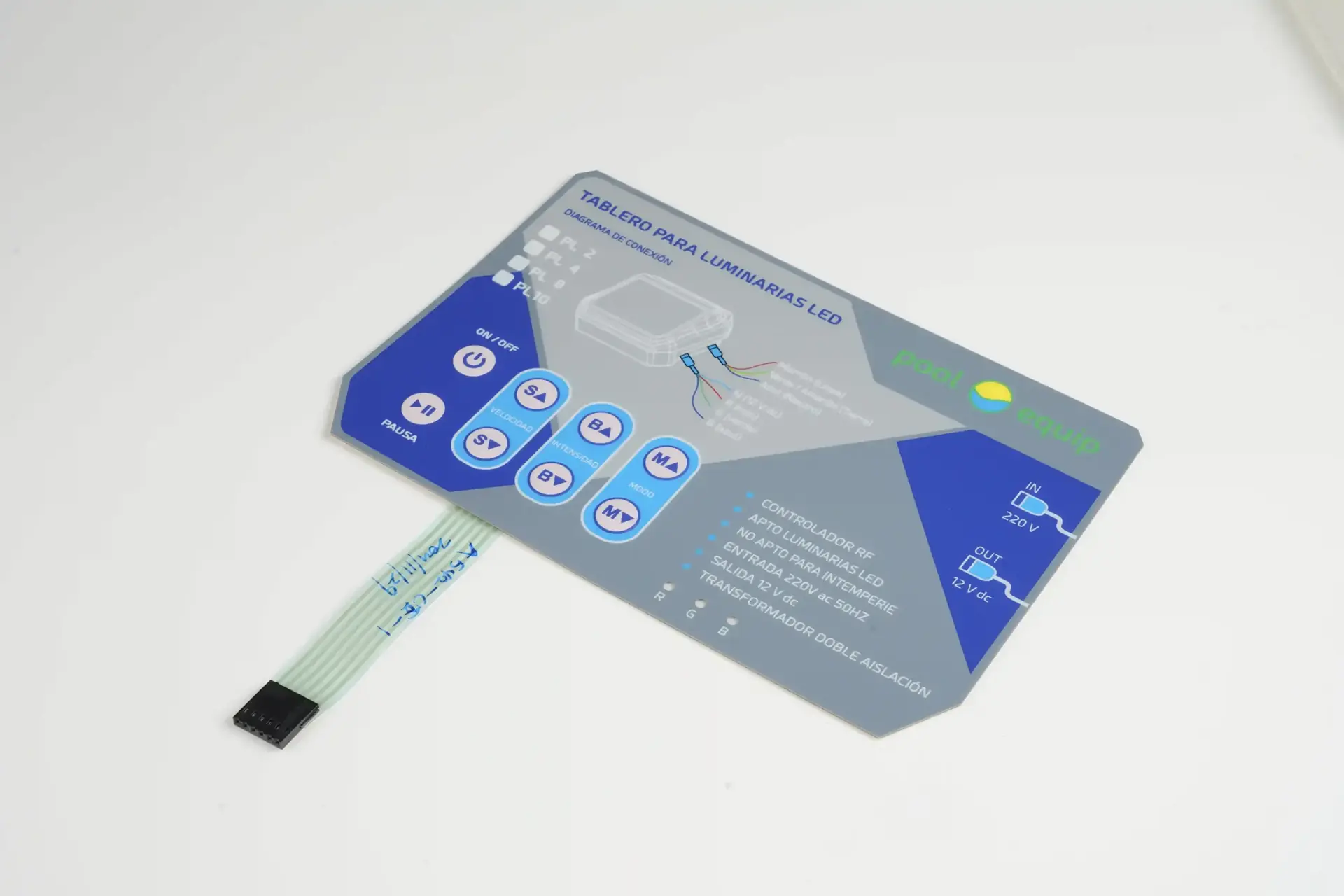
A loose keypad sample can confirm graphics and basic contacts. It cannot prove reach, visibility, water paths, mounting support, controller timing, lock response, cable protection, or service access.
- 01
Review the operating map
List users, credentials, entry steps, correction, acceptance, denial, timeout, lockout, faults, service access, environmental states, and the responsible subsystem for each response.
- 02
Build on production-intent hardware
Use the intended face, key construction, housing, wall or pedestal interface, gasket or adhesive, fasteners, cable route, connector, controller, indicators, backlighting, sound, and firmware.
- 03
Exercise realistic conditions
Run day, night, glare, gloves, wet face, cleaning, rapid entry, delayed response, power interruption, network fault, denied access, mounting inspection, and service removal as applicable.
- 04
Release traceable evidence
Freeze artwork, materials, dimensions, key map, circuit, pinout, connector, feedback states, installation drawing, test method, acceptance limits, approved sample, variants, and revision ownership.

Production controls linked to the released access panel
JASPER records the component checks defined by the approved drawing and control plan. Inspection remains tied to the correct artwork, key map, circuit, cable or tail, connector, option, and revision.
- Identity
- Released artwork, material stack, dimensions, key map, circuit master, pinout, connector, lighting option, variant, revision, and approved reference.
- Appearance
- Print registration, legend position, color reference, finish, windows, indicators, emboss or key geometry, cut edges, and agreed cosmetic limits.
- Electrical
- Project-defined continuity, open and short, key map, contact, LED polarity or function, tail or cable, connector, and other agreed interface checks.
- Mechanical
- Outline, datums, key and window location, laminate alignment, adhesive or gasket condition, cable restraint, assembly state, and packaging protection.
The access-control OEM remains responsible for intended use, threat and risk assessment, credential and PIN policy, controller hardware, firmware, cybersecurity, power, lock and relay behavior, tamper response, emergency and life-safety integration, accessibility, enclosure performance, installation, complete-product certification, commissioning, maintenance, and finished-system validation.
Connect the keypad decision to the installed system
Product directions
Custom numeric and function layouts, tactile options, windows, indicators, tails, connectors, and project-defined inspection.
Raised keys, molded legends, coatings, light pipes, conductive contacts, and housing or PCB integration.
Flush front panels with custom graphics, cover materials, sensor design, controller integration, and tuned prototypes.
Interface, circuit, PCB or FPC, LEDs, carrier, connector, gasket, housing work, and agreed assembly testing.
Engineering resources
Map perimeter, openings, tail or cable exit, housing, drainage, gasket, adhesive, and finished-product validation.
Review graphics, key feel, circuit, windows, adhesive, tail, connector, support, and inspection inputs.
Define legends, icons, indicators, light guides, diffusion, masking, leakage, and powered approval states.
Package the operating map, drawings, materials, electronics, environment, quantities, and approval evidence.
Send the access interface package
A useful quotation connects the keypad to its users, installation, controller, and verification plan. Early drawings are enough to begin when open decisions are clearly marked.
Open Access Keypad Form- 01installation type, users, approach, reach, gloves, lighting, entry sequence, feedback, accessibility, and service workflow
- 02front, housing, door frame, wall, pedestal, back box, mounting plane, openings, fasteners, drainage, and cable-route drawings
- 03key map, numeric order, enter and cancel behavior, tactile target, indicators, backlighting, sound, display, and controller states
- 04overlay, silicone, capacitive, piezo, or metal direction; artwork, legends, colors, finish, windows, coating, and variants
- 05circuit, schematic or matrix, electrical limits, scan and debounce assumptions, pinout, LEDs, shielding, ground, and controller interface
- 06tail or cable exit, length, bend, connector, gland, strain relief, contact side, mating location, installation, and service access
- 07rain, runoff, UV, temperature, condensation, dust, cleaning, chemicals, impact, expected life, sample quantity, annual volume, and schedule
Access Control Keypad FAQ
Which keypad technology is best for an access control system?
There is no universal best technology. A membrane keypad suits low-profile custom graphics and integrated reader panels. Silicone supports raised, glove-friendly keys and molded lighting features. Capacitive touch supports a flush front when water, gloves, grounding, and tuning are controlled. Piezo or metal keypads can suit rigid public installations. Choose from users, weather, impact, cleaning, housing, electronics, feedback, tooling, service, and finished-system validation.
Can a membrane keypad be used for an outdoor door or gate?
Yes, when the complete installation is engineered for the exposure. Define rain and runoff, UV, condensation, temperature, dust, cleaning, perimeter land, exposed edges, windows, fasteners, tail or cable exit, back box, drainage, connector, and service access. Then test a production-intent mounted and powered assembly. The membrane keypad alone does not establish the enclosure's ingress rating.
How should key size and feedback be specified for a PIN pad?
Specify intended users, approach and reach, gloves, key centers, active target, spacing, edge clearance, numeric order, enter and cancel keys, tactile construction, target force, support surface, legend contrast, night visibility, visual and audible feedback, controller debounce, timeout, correction, and lockout behavior. Approve representative entry and recovery tasks on the installed unit rather than judging a loose overlay.
What is needed for a backlit access control keypad?
Define whether the keys, legends, icons, indicators, or perimeter illuminate; their colors and relative brightness; standby, active, accepted, denied, fault, and service states; daylight and night conditions; diffusion, hot spots, masking, leakage, power, controller drive, and thermal effects. Release backlighting from a powered sample using the intended cover, housing, electronics, and ambient-light range.
Does the keypad manufacturer control PIN security and door authorization?
No. The keypad or interface supplier can manufacture the keys, graphics, circuit, cable, connector, indicators, housing interfaces, and agreed assembly. The access-control OEM owns PIN and credential processing, enrollment, lockout, logs, encryption, communications, cybersecurity, lock and relay control, emergency behavior, installation, compliance, and complete-system validation.
What files are needed to quote a custom access control keypad?
Send the operating sequence, key map, artwork, housing and mounting drawings, wall or pedestal interface, technology preference, tactile and lighting requirements, circuit or pinout, tail or cable route, connector, materials, environmental exposures, cleaning method, sample quantity, annual volume by variant, schedule, and required inspection evidence. Mark unresolved items so engineering can review them before the design is fixed.