
A graphic overlay surface finish should be chosen by zone, not by appearance alone. Use gloss where optical clarity and saturated graphics matter; use matte or fine texture where reflection, touch, or handling marks dominate; use selective texture when one overlay needs both behaviors. For numeric gloss control on a flat, non-textured area, start with 60° measurement, then use 20° above 70 GU or 85° below 10 GU for better discrimination.
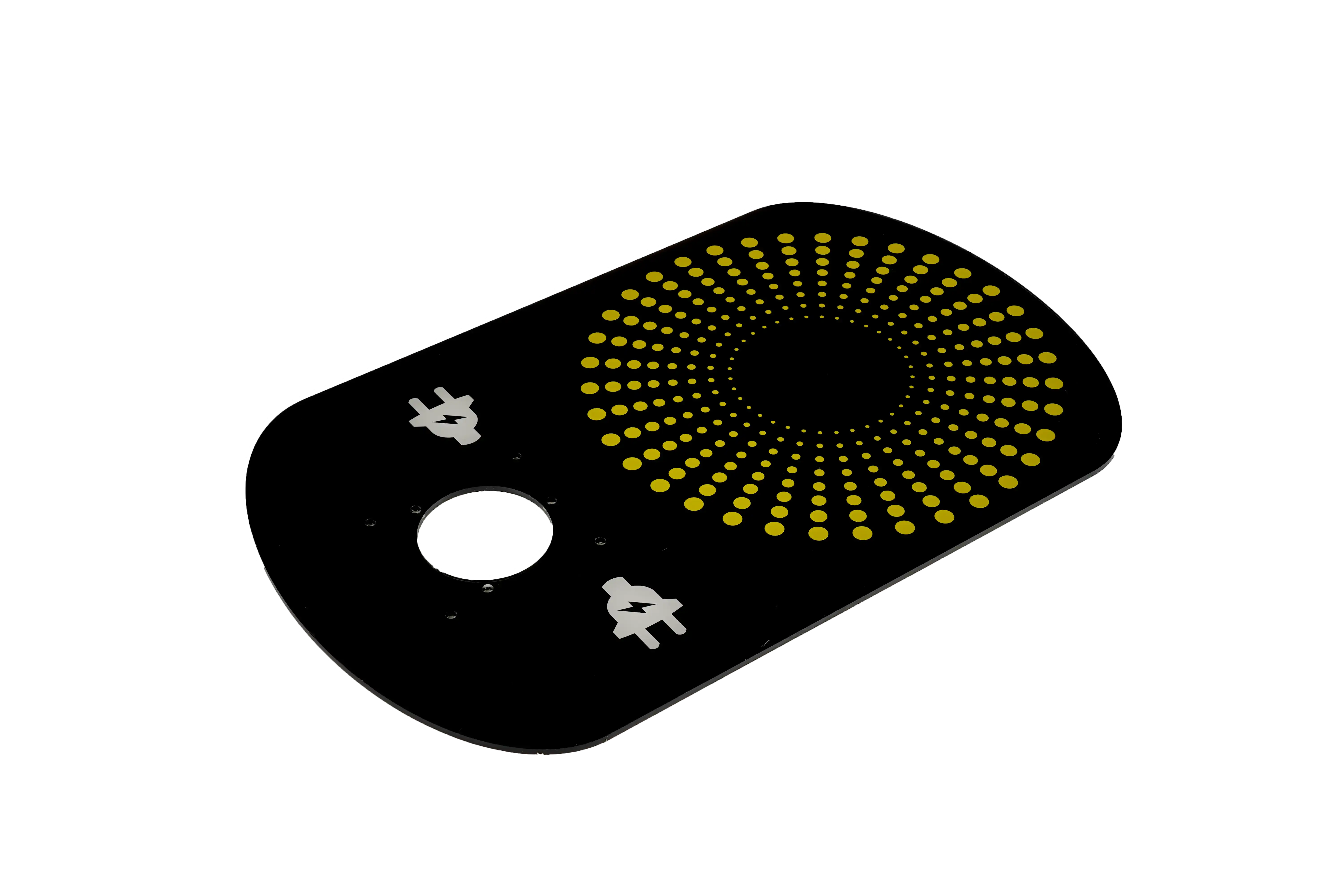
The important qualification is that a finish name is not a complete performance specification. “Matte,” “fine texture,” and “gloss” can describe very different surface topographies, hardcoat constructions, haze levels, and tactile responses. Approval should therefore combine a defined material construction, a physical appearance master, the real printed graphic, the display or indicator stack, and the intended cleaning method.
Start with the function of each surface zone
The fastest way to make a poor finish decision is to assign one finish to the entire overlay before separating the functional zones. A control panel may contain a display window, status-light windows, legends, embossed keys, a logo field, a high-touch navigation area, and an adhesive perimeter. Those areas do not all need the same optical or tactile behavior.
Map the overlay into zones first:
- Display and indicator windows: prioritize transmission, contrast, reflection control, haze, cleanliness, and readability at the actual viewing distance.
- Key and touch areas: prioritize tactile feel, finger guidance, abrasion behavior, cleanability, and visual uniformity after repeated handling.
- Printed legends and icons: prioritize contrast, edge definition, color appearance, and resistance to the specified cleaner.
- Decorative fields: prioritize the intended product appearance, fingerprint visibility, scratch visibility, and match to the enclosure.
- Edges, embossed features, and adhesive boundaries: verify that the finish process does not create registration, forming, or bonding problems at the feature boundary.
A single-finish overlay is reasonable when these priorities point in the same direction. Mixed-function HMIs often benefit from a clear or gloss window combined with a matte or textured operator field.
Compare matte, gloss, fine texture, and selective texture as four distinct routes
These four routes are the practical comparison set for this project. They are not universal standardized grades, so the final specification should identify the approved material and sample rather than relying on the finish name alone.
| Finish route | Best starting use | Main advantage | Main tradeoff | Approval focus |
|---|---|---|---|---|
| Matte | Operator fields, legends, areas under broad ambient light | Reduces sharp reflections and often makes handling marks less obvious | Can soften perceived contrast and may reduce window clarity | Glare, color appearance, cleaner response, visual uniformity |
| Gloss | Display windows, decorative fields where depth and color saturation are desired | Preserves a clear surface and can make printed colors appear deeper | Shows reflections, fingerprints, and some surface defects more readily | Window readability, reflections, fingerprints, scratch appearance |
| Fine texture | High-touch non-window areas and tactile control fields | Adds controlled surface feel and can break up handling marks | Texture can scatter light and reduce fine optical detail | Tactile feel, cleanability, print legibility, texture consistency |
| Selective texture | Interfaces that need different optical or tactile zones on one part | Keeps a clear/gloss window while adding matte or texture only where needed | Adds masking, print-registration, edge-transition, and process-control requirements | Zone registration, edge quality, durability of the added texture, window isolation |
Matte: choose it to manage reflections, not to hide every defect
Matte surfaces scatter reflected light more broadly than a smooth gloss surface. That usually helps when an operator faces ceiling lights, task lights, or bright ambient reflections. It can also make fingerprints and fine handling marks less visually dominant.
The tradeoff is optical softness. A matte finish over a display window can lower apparent contrast or make fine display detail look less crisp, depending on the surface structure and the display stack. For a panel with a critical LCD, OLED, or high-density legend viewed through the overlay, test the actual assembly rather than approving an unprinted film chip.
A matte appearance can also expose inconsistency if the finish changes from lot to lot or if adjacent enclosure parts have a different sheen. For cosmetic programs, the signed physical master should be stored with the viewing and lighting conditions used for approval.
Gloss: use it where clarity wins over reflection control
Gloss is a strong candidate for transparent windows because a smoother surface generally preserves image sharpness better than a textured surface. It can also make printed colors and dark fields appear visually deeper.
The downside is that direct reflections move with the viewer, and fingerprints can become obvious on dark or high-gloss areas. A gloss surface also makes certain scratches and waviness easier to see. If the enclosure is matte but the overlay is gloss, the contrast can look intentional or mismatched depending on the design; that must be decided on the assembled product, not from separate swatches.
Do not use a high gloss reading as a proxy for “better.” The correct target is the approved appearance and functional readability of the finished interface.
Fine texture: choose touch and visual masking without assuming window performance
Fine texture sits between a visually flat matte surface and a deeper tactile grain. It can give the operator a more controlled touch surface and can reduce the visibility of handling marks. It is often useful around keys, navigation areas, and printed legends that do not need transparent display performance.
Texture depth matters. Two materials called “fine texture” can feel different, scatter light differently, and respond differently to cleaning. A physical sample should be evaluated with the same ink coverage and color family as the final design because texture and color interact. Dark solids, light neutrals, metallic effects, and translucent windows can each reveal different surface behavior.
Selective texture: separate protection from local tactile or optical effects
Selective texture is useful when one overlay must do conflicting jobs. A clear display window may need a smooth optical path while the surrounding keypad needs a lower-glare, tactile surface. The selective texture can be applied only to the operator field while the window remains clear.
A selective printed texture and a base hardcoat are not the same thing. The hardcoat is a protective surface system intended to improve resistance to wear, chemicals, or scratching within its qualified construction. A selective texture is a local surface effect or coating used to change feel, sheen, or appearance in a defined zone. A hardcoated film can also receive selective texture, but the added layer needs its own adhesion, cleaning, and wear evaluation. Do not treat the process name as proof of finished-part durability. If the texture or grain is directional, put its orientation on the drawing or retained master so a rotated sheet or inconsistent grain direction cannot pass on finish name alone.
Use window readability as a separate decision from panel appearance
A graphic overlay can look excellent on the bench and still make a display difficult to read in the machine. Window acceptance should use the real display, backlight setting, gap, printed border, adhesive cutout, protective mask condition, and housing geometry.
Use this decision sequence:
- Check the display off: look for haze, window tint, color cast, surface waviness, trapped contamination, and cosmetic mismatch with the surrounding field.
- Check the display on: verify character and icon clarity, dark-state contrast, color shift, and reflection from representative operator positions.
- Change the lighting direction: a finish that looks quiet under diffuse bench light can create a distracting highlight under directional overhead light.
- Change the viewing direction: inspect normal viewing and off-axis positions that operators will actually use.
- Compare the window to the surrounding surface: if the field needs matte or fine texture, consider a selective clear/gloss window instead of forcing one finish across both functions.
For a critical display, approve the complete assembled stack. A transparent film sample by itself cannot reproduce the interaction among surface finish, printed border, adhesive opening, air gap, display cover, and illumination.
Control gloss numerically only where the measurement method fits
Gloss meters can help control production, but they do not replace appearance approval. ASTM D523-25 uses 20°, 60°, and 85° geometries for specular gloss measurement of nonmetallic specimens. A common routing convention is to use 60° for general or semi-gloss evaluation, 20° when a 60° reading is above 70 GU, and 85° when it is below 10 GU.
Those numbers select a measurement geometry; they are not universal acceptance limits for a graphic overlay. The project still needs an approved target and tolerance based on the chosen material and visual master.
Use extra caution with texture and windows. A textured surface changes more than specular gloss, and transparent areas introduce transmission and display-stack effects. ISO 2813:2014 is written for gloss measurement of non-textured coatings on plane, opaque substrates, so it should not be applied as a blanket acceptance method to textured or transparent overlay zones.
If the drawing calls out a gloss value, record the instrument geometry, measured zone, surface condition, backing, sample orientation, and master reference. A gloss number without those conditions is difficult to reproduce.
Approve color and finish together under controlled lighting
Color does not exist independently of surface appearance. Texture and gloss change how light reaches the observer, so two surfaces printed with the same nominal ink formulation can look different. A color match that appears acceptable under one light source can also separate under another lighting condition.
For appearance-critical programs, the approval set should include:
- the intended substrate and surface finish;
- the real ink sequence and backing color;
- the enclosure or a representative enclosure plaque;
- the display lit and unlit if a window is present;
- the defined visual master or color reference;
- at least two representative lighting conditions when the product will move between environments;
- a recorded viewing orientation for directional or grained finishes.
Instrumental color data can support repeatability, but the assembled appearance still needs visual evaluation. The supplier and OEM should agree on which sample controls if the instrument result and visual appearance do not point to the same disposition.
Treat cleaning as a defined test condition
“Easy to clean” is not a finish specification. Cleaning results depend on the chemical, concentration, wipe material, contact time, pressure, number of cycles, and whether the surface includes printed texture or a separate coating.
Define the cleaning test from the product use case. Record the cleaner by product or chemical description, dilution, wipe material, stroke pattern, cycle count, dwell time, and inspection method. Examine the surface for gloss change, whitening, softening, tack, edge lifting, ink transfer, loss of texture, and window haze. When the cleaner can leave a temporary film, define the drying or recovery time before the final appearance reading so residue is not mistaken for a permanent finish change.
Do not copy a chemical-resistance claim from a film data sheet into a finished-overlay acceptance criterion without checking the actual printed and laminated construction. The base film, hardcoat, selective coating, ink, adhesive edge, and assembly method can respond differently.
Use an appearance sample that represents the final construction
A useful appearance sample is not just four blank film squares. Build a compact overlay coupon or prototype that includes the features most likely to change the decision:
- a dark solid field and a light neutral field;
- the smallest critical text and icon linework;
- a transparent display or indicator window;
- a representative embossed or touch area if used;
- the real printed border around the window;
- the intended matte, gloss, fine-texture, and selective-texture routes;
- the actual adhesive cutout and a representative housing surface where bonding or edge appearance matters.
Compare all candidates on the same artwork. If the design contains a selective texture, include the real transition edge and the smallest practical textured feature so registration can be judged. The sample should answer the product decision, not merely demonstrate that a coating exists.
Record the decision so production can reproduce it
Use a surface-finish approval record with the drawing and retained master. The following template captures the minimum information needed to reproduce the decision.
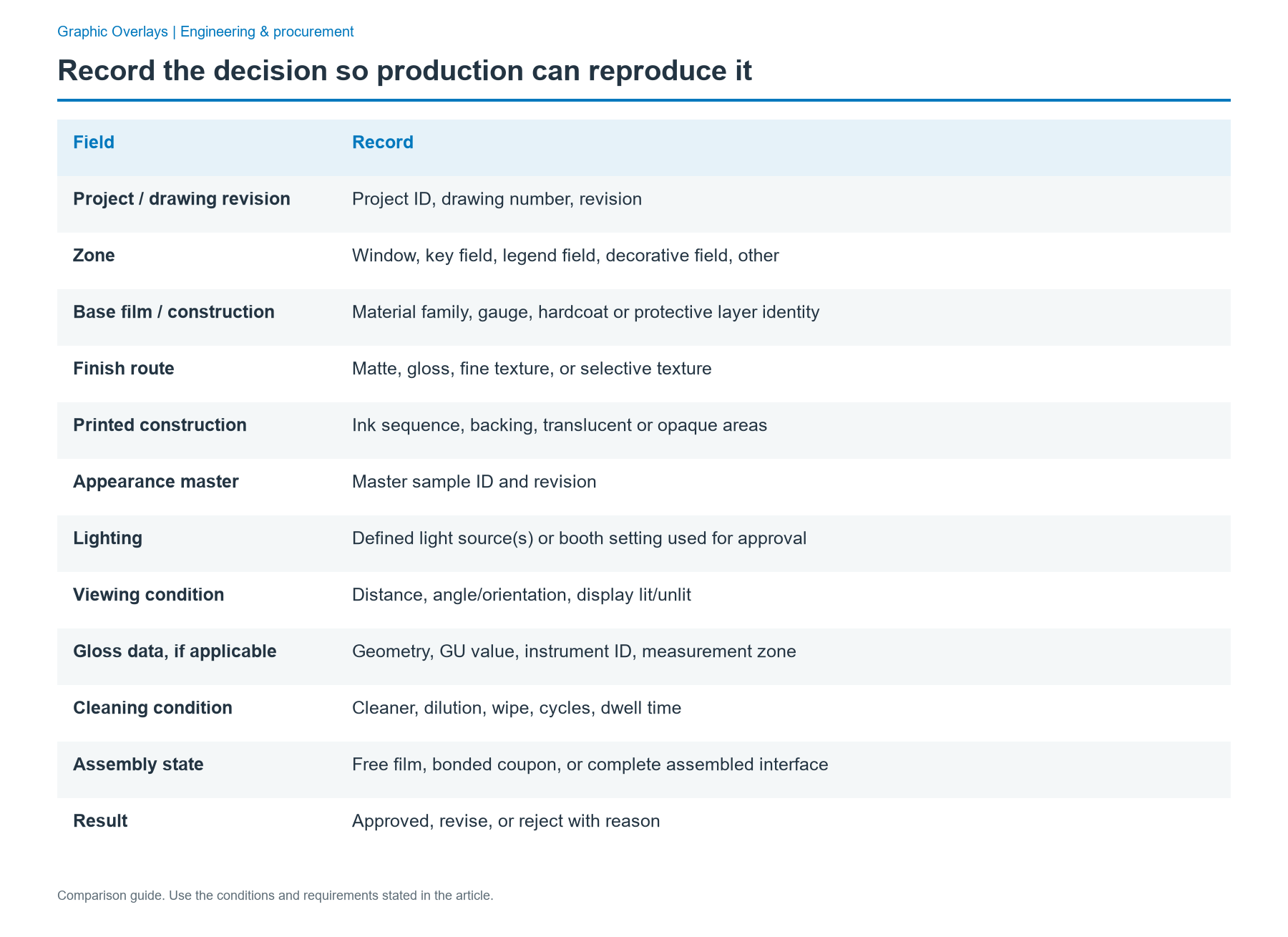
| Field | Record |
|---|---|
| Project / drawing revision | Project ID, drawing number, revision |
| Zone | Window, key field, legend field, decorative field, other |
| Base film / construction | Material family, gauge, hardcoat or protective layer identity |
| Finish route | Matte, gloss, fine texture, or selective texture |
| Printed construction | Ink sequence, backing, translucent or opaque areas |
| Appearance master | Master sample ID and revision |
| Lighting | Defined light source(s) or booth setting used for approval |
| Viewing condition | Distance, angle/orientation, display lit/unlit |
| Gloss data, if applicable | Geometry, GU value, instrument ID, measurement zone |
| Cleaning condition | Cleaner, dilution, wipe, cycles, dwell time |
| Assembly state | Free film, bonded coupon, or complete assembled interface |
| Result | Approved, revise, or reject with reason |
The most important record is the physical and construction context behind the result. A naked value such as “matte 8 GU” does not explain the texture, measurement geometry, backing, or visual target.
Common failure paths and what they usually mean
The sample looks good, but the display is washed out
The finish was probably approved as an appearance sample rather than as an optical stack. Rebuild the review around the real display, window, printed border, adhesive opening, and lighting. A clear or gloss selective window may solve the conflict without changing the rest of the panel.
The first samples match, but production looks different
The finish name may be too generic, or the master and measurement conditions may be missing. Lock the material construction, finish code, sample revision, viewing condition, and any numeric gloss method used for control.
The overlay cleans well initially but becomes patchy
The cleaner may be changing the sheen, attacking a selective surface coating, or leaving residue that is more visible on one finish. Re-run the test with the actual cleaner and wipe procedure, then inspect both appearance and functional adhesion.
The selective texture looks misregistered around windows or icons
The process boundary is too close to a critical edge, or the artwork does not provide a realistic registration allowance. Review the texture mask, print/fabrication tolerances, and transition design before changing the entire surface finish.
The color matches the swatch but not the enclosure
The mismatch may be an appearance problem rather than an ink-only problem. Evaluate the printed overlay and enclosure together under the agreed lighting, because gloss, texture, geometry, and material can change perceived color.
Hand off a finish specification that a supplier can actually build
A complete RFQ or engineering handoff should describe more than “matte” or “gloss.” Send the original dimensional artwork, window and adhesive-zone layers, housing surface information, cleaning conditions, color sample or reference, revision, and quantity. Add the required surface route by zone and identify which sample or measurement controls acceptance.
JASPER can review these inputs for custom graphic overlays and align the surface finish with the printed graphics, windows, embossing, adhesive, and assembly condition. The goal is to reach an approval sample that represents the final interface rather than a finish chip viewed in isolation.
FAQ
Is matte always better than gloss for an industrial graphic overlay?
No. Matte is often useful for reducing sharp reflections and the visibility of fingerprints, but it can soften the apparent clarity of a display window. Gloss is often a better starting point when window sharpness or saturated appearance is the priority. Many industrial overlays work best with a matte or textured operator field and a separate clear or gloss window zone.
When should a graphic overlay use a gloss window with a matte field?
Use that combination when the display needs a clear optical path but the surrounding control area needs lower glare or a different tactile feel. Approve the window on the real illuminated display, not as a loose film sample. The transition between window and field should also be checked for registration, edge appearance, cleaning behavior, and consistency with the printed border.
What is the difference between a hardcoat and a selective texture?
A hardcoat is a protective surface system intended to improve properties such as abrasion or chemical resistance within a qualified material construction. A selective texture is a local surface treatment used to change feel, sheen, or appearance in a chosen zone. A hardcoated film can receive selective texture, but the added layer still needs its own adhesion, wear, and cleaning validation.
Can fine texture hide fingerprints and scratches?
Fine texture can make fingerprints and small handling marks less visually obvious because it breaks up reflections, but it does not make the surface immune to contamination or damage. The effect depends on texture depth, color, lighting, and the actual hardcoat or coating system. Approve the finish after cleaning and handling trials on the printed construction, especially on dark fields.
How should color be approved when finishes change appearance?
Approve color on the intended surface finish and printed stack, then compare it with the enclosure or adjacent parts under the agreed lighting. Surface gloss and texture affect perceived color, so a nominal ink match is not enough. For products used in different environments, include at least two representative lighting conditions and retain the approved physical master with the viewing orientation recorded.
Can one gloss number define a textured overlay?
No. A gloss value measures a specific reflection condition and cannot fully describe texture, haze, tactile feel, or display readability. ASTM D523-25 provides 20°, 60°, and 85° gloss geometries, but a textured overlay still needs a visual and tactile master. Transparent windows should also be approved as part of the full optical stack rather than by gloss alone.
What should I send for a surface-finish sample review?
Send the original dimensional artwork, separate window and adhesive-zone layers, enclosure surface information, cleaning conditions, color sample or reference, revision, and quantity. Identify any display, indicator, embossed key, or high-touch area that changes the finish decision. A representative housing piece or plaque is also useful when the overlay must match the surrounding enclosure in color, sheen, or texture.
Next step
To move from finish selection to a buildable sample, send your drawing with the original dimensional artwork, window and adhesive-zone layers, housing surface, cleaning conditions, color sample, revision, and quantity. Include the intended finish by zone and any retained appearance master so the sample can be reviewed against the same decision basis.
Bring the drawing, stack and operating conditions
JASPER engineering will review the interfaces, open risks and evidence required for a production quote.