
When a membrane keypad is not working, isolate its passive circuit from the controller, measure released and pressed states, then repeat the checks under the actual mounting conditions. For a short-tail, diode-free 3.3 V interface with 10 kΩ pull-ups, use a complete closed-path resistance of ≤100 Ω as a conservative design target, not a universal rejection limit. A fault at the disconnected tail points upstream; a passing tail test shifts attention to the connector, mounting, and controller.
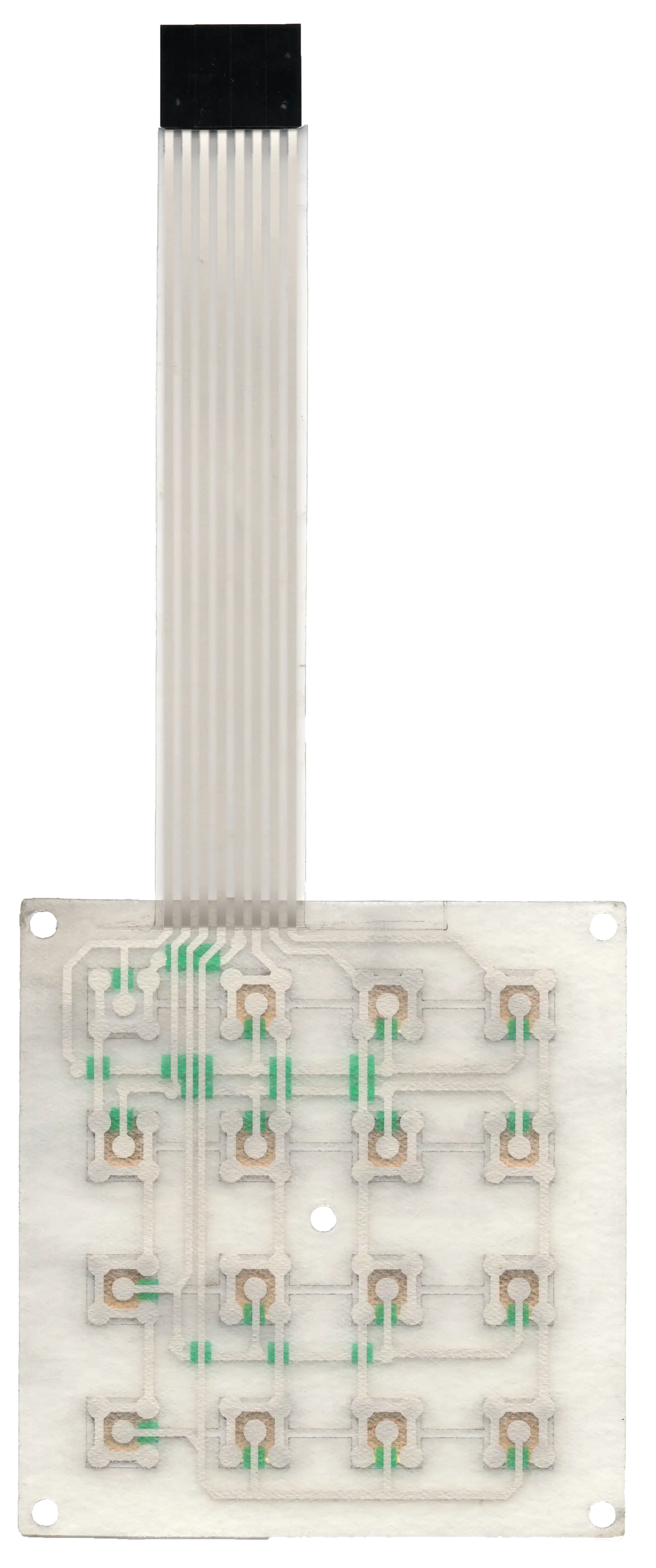
Start with the circuit map and a supported keypad
A useful diagnosis starts with the released pinout and mechanical support, not with pressing harder or replacing the controller. This procedure is for OEM evaluation of passive, normally open printed membrane keypads, not energized appliance repair.
Isolate equipment energy sources using the equipment's approved procedure. Disconnect the keypad from the host before resistance measurements. Identify any separate lighting circuit, shield connection, protection component, or embedded electronics; do not treat every tail pin as a switch contact. Controller-side functional tests belong on an approved, current-limited low-voltage engineering fixture, with hazardous outputs isolated and qualified personnel responsible for the setup.
Obtain the circuit drawing, connector orientation, keypad and enclosure revisions, and the host's input specification. Common-bus wiring, row-column matrix wiring, and mixed common-bus/matrix wiring require different pin-pair maps. Independently wired contacts may instead have dedicated pin pairs. A visually horizontal row of buttons is not necessarily an electrical row.
Support the active keypad area on the specified flat backing or representative fixture. Record the release-liner state and support geometry. Pressing an unsupported tactile assembly can damage its domes and create the fault being investigated. Use the intended finger contact or an approved actuator, never a sharp probe as the pressing tool.
Photograph the as-found tail routing and connector engagement before disturbing either. Preserve a failing assembly and a matching known-good control where available. Reseating everything at once may restore operation while destroying the evidence needed to identify the cause.
Follow the symptom-to-test fault tree
The first branch is whether the fault appears at the isolated keypad tail under the same mechanical conditions that produced the complaint. Use the following tree to select the next measurement rather than assuming every symptom is membrane switch failure.
If the expected contact states fail at the disconnected tail, investigate the switch circuit, tail and mechanical loading. If they pass there but fail through a verified mating connector, investigate that interface. If the signal reaches the host input correctly but the reported event is wrong, investigate the scan and application logic. A static pass does not eliminate an intermittent fault.
| Symptom | Measurement point | Decision | Next action |
|---|---|---|---|
| No keys respond | Each expected switch pair at the isolated tail | All pairs fail, or all pass? | Failure: verify pinout and shared conductors. Pass: check connector engagement and host scanning. |
| One key fails | That key's pair, then a working neighbor | Local failure or shared-path failure? | Isolate the local contact/trace if only one pair fails; follow the shared line if related keys also fail. |
| One electrical row or column fails | Every key pair sharing that line | Does the same conductor recur in every failed path? | Inspect its tail termination, mating contact and accessible shared trace; check the corresponding host channel if tail tests pass. |
| Works before mounting | Same pairs in S0, S1, S2 and S3 below | Which assembly transition introduces failure? | Inspect only the newly introduced support, routing or clamping conditions first. |
| One press produces repeated events | Contact waveform and host event timestamps | Physical reclosures or repeated software reports? | Investigate contact instability for reclosures; inspect debounce/repeat logic for a clean electrical input. |
| Key remains down or active | Released-state resistance and physical return | Electrically closed, mechanically trapped, or only reported active? | Separate preload/return faults, circuit shorts and retained controller state. |
| Intermittent contact under installed load | Logged contact state with the installed tail route and restraint | Does a specific motion or load reproduce a dropout? | Retain that condition and compare the tail, connector and support individually. |
Do not short unknown host pins to simulate a key. Use only a schematic-verified, current-limited contact simulator intended for the scan circuit; conflicting output drivers can make an improvised jumper test unsafe and misleading.
Measure the closed path, not just continuity
Measure actual resistance and state transitions because a continuity beeper cannot establish controller compatibility. Its threshold and response time belong to the meter, not to the keypad's acceptance specification.
Use a mating breakout that does not scrape or pierce the printed tail. Verify the meter's test voltage and current against the assembly limits, record the range, and account for lead and fixture resistance. Keep other keys released while checking a single switch. Protection diodes or parallel components require their own drawing-defined test method.
| State | Expected observation for an isolated, normally open contact | What the result establishes |
|---|---|---|
| Released before pressing | No unintended conduction between the selected switch terminals | Screens for a stuck contact or short; an overrange display is not a certified insulation value. |
| Pressed using the approved method | Stable closed-path resistance within the drawing limit | Measures the two conductor routes and contact, plus any interface inside the measurement boundary. |
| Released after pressing | Return to the specified open state | Separates successful actuation from a contact that stays closed after release. |
Repeat the sequence on every key and check unintended connections between nets that the drawing specifies as isolated. Do not apply an insulation tester or high-voltage test to an assembled circuit without an approved procedure. LEDs, protection devices and controller inputs may invalidate or be damaged by that test.
Use an input-margin calculation
For a short-tail, diode-free printed circuit, a ≤100 Ω closed-path design target provides useful margin in the following illustrative interface. It is not a reason to reject another keypad whose approved specification permits higher resistance.
Assume a 3.3 V supply, a 10 kΩ pull-up, a guaranteed-low input boundary of 0.99 V, an ideal scan output at 0 V, negligible leakage and sufficient settling time. These are calculation inputs, not measured equipment values. With R_loop representing the closed path and R_pull the pull-up:
V_input = V_OL + (V_DD − V_OL) × R_loop / (R_pull + R_loop)
At 100 Ω, the nominal input voltage is about 0.033 V. At 5,000 Ω, it is 1.10 V and therefore outside the assumed guaranteed-low region. A switch can consequently show finite resistance yet fail to produce a valid logic level.
The no-margin resistance boundary is:
R_loop,max = R_pull × (V_IL,max − V_OL) / (V_DD − V_IL,max)
The assumed values give approximately 4.29 kΩ, but that boundary is not a sensible acceptance target. Use the actual controller's guaranteed thresholds, worst-case output-low voltage, pull-up tolerance, leakage, temperature and scan settling. A stronger pull-up reduces the permissible loop resistance. Series diodes require a different voltage budget. For the released state, also verify that leakage and scan settling leave the input in its guaranteed-high region; a high-resistance leakage path may matter even without a hard short. Measure at defined endpoints and keep the design target, contractual limit and actual result in separate record fields.
Trace single-key and shared-line failures
Shared electrical connections narrow the search more reliably than the visual position of a failed key. A single failed pair suggests a local path; several failures sharing one net suggest a common interruption, without proving its location.
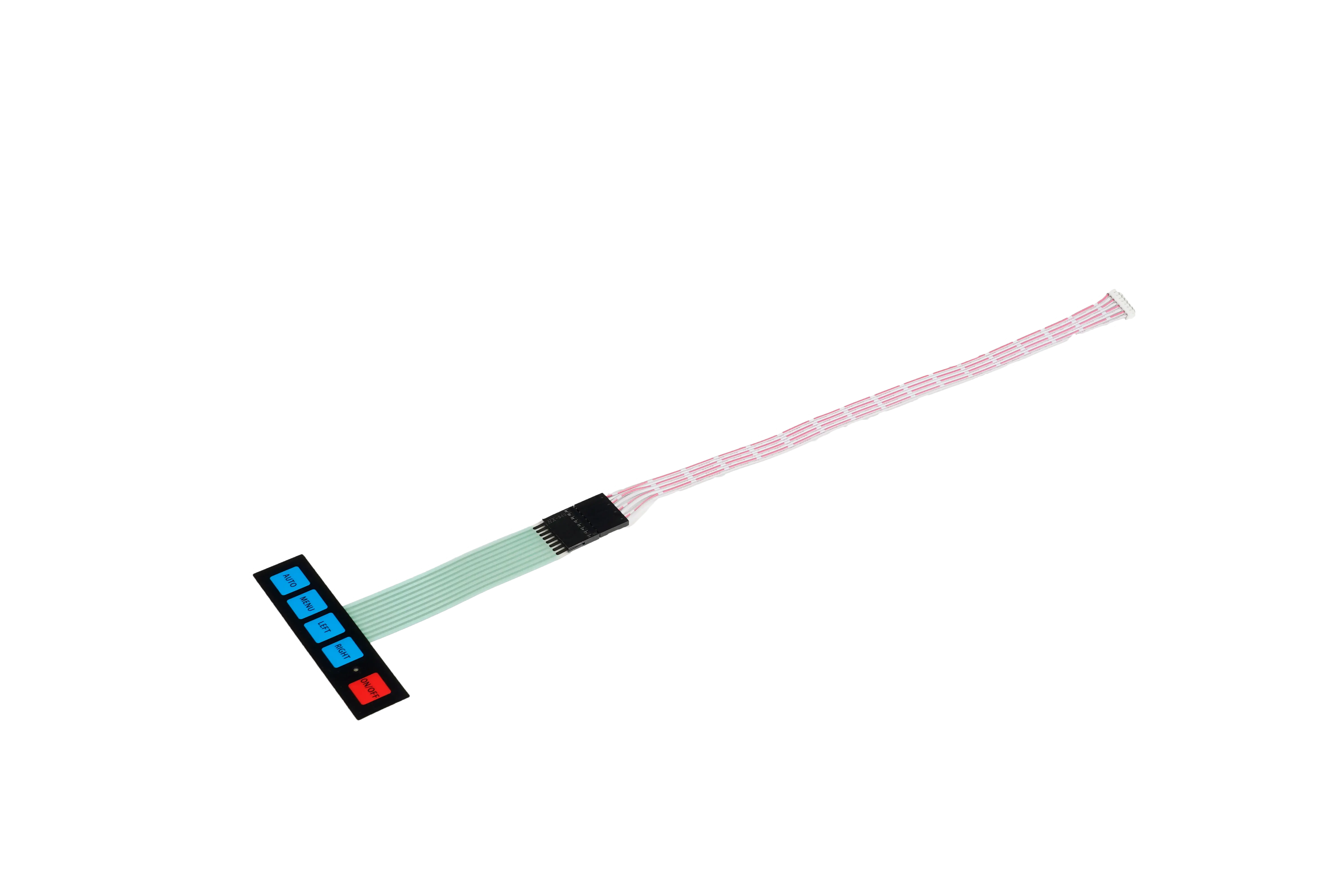
Consider an illustrative matrix with a row labeled R2 and columns C1, C2, C3 and C4. Test R2–C1, R2–C2, R2–C3 and R2–C4 by pressing the corresponding keys individually. Then test those columns through another row. If every R2 path fails while the same columns work elsewhere, investigate R2's shared conductor and interfaces before condemning four separate contacts. These labels are an example, not a pin assignment for the supplied keypad.
For one failed key, compare its released, pressed and released-again measurements with a working key. A tactile click does not prove electrical closure. Conversely, an electrical closure with poor tactile return points to a different problem than an open trace.
Inspect the tail for creases, edge damage, conductor wear, incorrect contact-side orientation, inadequate insertion and a damaged connector latch. Check the specified tail thickness and stiffener against the connector drawing. Do not trim the tail, polish away its contact finish, puncture the film, or crease it to make a fault appear. Use the tail construction’s specified bend radius and keep the connector and exit region free of imposed strain; a panel-curvature allowance is not a tail-bending rule.
Where accessible test pads permit, measure the suspect section independently. Without intermediate access, report the failed end-to-end path rather than claiming a hidden crack location. Compare a known-good keypad and connector fixture with power removed between changes. A fault that follows the keypad narrows ownership of the investigation; it does not by itself establish manufacturing responsibility.
Reproduce faults in the mounted assembly
A membrane keypad that works before mounting must be retested with the support, tail restraint and enclosure loading that exist in service. Comparing a loose, unsupported part with a tightened enclosure is not a controlled comparison.
Use the same measurement endpoints, key sequence and approved actuation method through all four states. Keep the host disconnected for resistance measurements; use a separate approved bench setup for event logging. Record adhesive settling or cure conditions where relevant.
| State | Configuration | What a new fault suggests |
|---|---|---|
| S0 | Unbonded keypad on representative flat support, with liner condition recorded | Baseline switch/circuit problem or an unsuitable baseline fixture. |
| S1 | Keypad bonded to its intended backing, without enclosure clamping | Backing irregularity, bonding stress, misplaced adhesive or a changed cavity/vent condition. |
| S2 | Tail in its installed route and mating breakout, with specified restraint but enclosure unclamped | Tail strain, connector engagement, stiffener interference or exit-slot contact. |
| S3 | Enclosure assembled with the approved gasket, fastener sequence and torque | Preload, housing distortion, support interference or a tail trapped during closure. |
For an already bonded failed part, do not peel and re-bond it merely to recreate S0. Preserve that specimen and use a matched sample for destructive or irreversible comparisons. Removing adhesive can alter the failure mechanism.
Stiff keys, slow return and keys held closed
A key that becomes stiff after mounting needs a force-and-displacement comparison at the same actuation point. Record force in N and travel in mm using the approved actuator face and rate. Inspect backing flatness, ribs beneath active areas, bezel interference, stack thickness and actuator alignment. A different dome force should not be the first response to a mounting-induced change.
When a membrane-switch key stays closed after assembly, measure whether the contact remains closed without applied force. Closure that appears only after clamping supports a preload or distortion hypothesis. Poor return that persists on correct support also warrants examination of the dome, overlay and spacer. An oversized or off-center actuator can affect dome behavior; use the selected dome's requirements rather than a universal actuator ratio.
Both internal venting and external venting may be used. Internal venting redistributes displaced air between cavities; external venting connects the intended cavity network to an external pressure path. Inspect the route shown on the drawing for adhesive blockage or enclosure obstruction. Do not drill a relief hole or remove a seal as a production fix.
Change one controlled factor at a time and restore the approved assembly afterward. A fault that disappears when screws are loosened identifies load sensitivity, not permission to ship loose fasteners. For the underlying drawing interfaces, use the membrane switch enclosure integration guide.
Separate contact bounce from controller errors
Repeated key events require electrical timing evidence because contact bounce, scan ambiguity and application repeat behavior are different mechanisms. A stable resistance reading between events cannot distinguish them.
On the approved low-voltage bench, capture the raw input, relevant scan strobes and application event timestamps. Inspect the signal during the correct scan phase after settling; an average voltage is not a key-state measurement. Use a capture resolution and record length capable of showing the shortest suspected dropout and the full press-and-release sequence.
A 10 ms debounce interval can be an initial bench trial, not a universal setting. Validate it against measured contact behavior, scan timing, the shortest intended press, release detection and required response latency. Increasing a delay may hide a cracked conductor temporarily or suppress legitimate short presses. A clean input with repeated events calls for inspection of edge detection, intentional key repeat and state handling rather than changing the switch.
Test the simultaneous-key combinations the product actually permits. Some whole-axis scan methods can confuse certain two-key combinations. The interpretation depends on the scan algorithm and any isolation diodes; do not label every extra event as ghosting. Record which keys were held, pressed and released in order.
For installed intermittent contact, reproduce the approved tail route, restraint and mechanical load before adding environmental stress. Log the electrical dropout and applied condition together. An informal shake test neither measures a vibration profile nor qualifies a vibration rating. A fault that cannot be reproduced remains an unresolved symptom, not evidence that either the keypad or controller is defect-free.
Record the evidence and assign the next action
A useful failure submission identifies the failed electrical path and reproduction state, while keeping the cause and responsible party open until the evidence supports them. Send the as-found condition, not just a photograph labeled “bad keypad.”
| Record group | Required detail | Decision it supports |
|---|---|---|
| Identity | Keypad, enclosure and controller revisions; specimen and lot identifiers | Separates design changes from individual-part variation. |
| Circuit map | Pinout, connector contact side, failed keys and shared nets | Identifies the exact paths to retest. |
| Electrical data | Measurement endpoints, instrument settings, fixture correction, released/pressed/released values in Ω | Distinguishes opens, high resistance and failure to release. |
| Assembly | S0, S1, S2 or S3; backing, liner/adhesive condition, gasket, tail route and fastener torque in N·m | Recreates the mechanical boundary conditions. |
| Reproduction | Press location, force in N where measured, sequence, hold time in ms, temperature in °C and humidity in %RH where relevant | Separates a repeatable trigger from an untested explanation. |
| Comparison | Known-good control, connector substitutions, raw traces, host event log and failure count per stated attempts | Shows whether the symptom follows a part, interface or configuration. |
Keep observed values separate from proposed limits. Record actual attempts and failures; do not turn a small diagnostic sample into a life expectancy or lot-wide reliability claim. Package the failed sample to protect its tail and active area, identify its orientation, and retain photographs before disassembly.
The keypad supplier investigates the supplied circuit, stack and drawing conformance. The assembly owner checks backing, adhesive placement, routing and clamp conditions. The controller owner checks electrical thresholds, scan configuration and event logic. Joint review is appropriate where compliant parts interact poorly. Approve any corrective change against the original symptom and required operating conditions, not only a new bench continuity result.
For changes to the printed circuit, tactile stack or tail interface, review JASPER membrane keypads with the failed-path evidence and acceptance requirements. A replacement part should be evaluated in the final mounting arrangement, not assumed to solve an unisolated host problem.
Frequently asked questions
Why does only one membrane keypad button stop working?
One failed key can indicate a local contact or trace problem, but confirm its electrical pair before assigning a cause. Compare its released, pressed and released-again states with a working key on proper support. If related keys share the same failed conductor, follow the shared-line branch instead of treating each button as an independent defect.
What should I check when an entire keypad row fails?
Check the electrical row conductor and its interfaces first, after confirming that the failed buttons actually share a net. Test each affected pair at the disconnected tail, then compare through a verified connector fixture. If those paths pass under the failure conditions, inspect the corresponding controller scan or input channel.
Why does the keypad stop working when the enclosure is tightened?
Tightening can change support, preload, gasket compression or tail routing. Repeat the same electrical tests before and after the defined clamping step, keeping the actuator and measurement endpoints unchanged. A recovery after loosening indicates load sensitivity; it does not prove that the screws alone caused the fault or justify an under-tightened production assembly.
Can a keypad pass a multimeter test and still fail in service?
Yes. A static test may miss brief dropouts, installation-induced strain or a mismatch with the controller's thresholds and timing. Measure actual closed-path resistance, repeat the installed condition and capture the signal during scanning. A continuity beep is a screening observation, not proof of electrical margin or complete functional acceptance.
Should I increase debounce time to stop repeated presses?
Increase debounce only after comparing the electrical waveform with the reported events. A longer interval may help reject brief contact transitions but can also hide instability or miss short intentional presses. Validate both press and release behavior, latency and intended repeat settings rather than selecting a delay solely because duplicate events disappear.
Why does a membrane key fail to return after pressing?
Poor return may involve mechanical preload, dome behavior, overlay interference or a blocked designed vent route. First determine whether the key physically remains down, the contact remains electrically closed, or only the controller reports it as active. These observations require different follow-up tests and should not be combined into one stuck-key diagnosis.
What information should accompany a failed keypad sample?
Include the pinout, failed keys, part revisions, mounting state, tail photographs and exact reproduction sequence. Add released and pressed measurements, instrument settings, attempt counts and controller logs where available. Send a matching known-good sample when practical, and identify any reseating, cleaning or disassembly already performed so the as-found condition is not misinterpreted.
Send the failed-key evidence
Send Drawing with the pinout, failed-key locations, before-and-after mounting states and abnormal reproduction conditions. Include the assembly drawing and recorded measurements so the review can distinguish a keypad change from a connector, enclosure or controller correction.
Bring the drawing, stack and operating conditions
JASPER engineering will review the interfaces, open risks and evidence required for a production quote.