
For eyes-off, gloved, or high-consequence keys, a tactile membrane switch with a metal dome (or controlled poly dome) usually wins on snap confirmation. For quiet rooms, wipe-down faces, and panels that already give LED, display, or software feedback, a non tactile membrane switch with flat contact is often the cleaner fit. Mixed zones are valid when the dome map and test plan match the job.
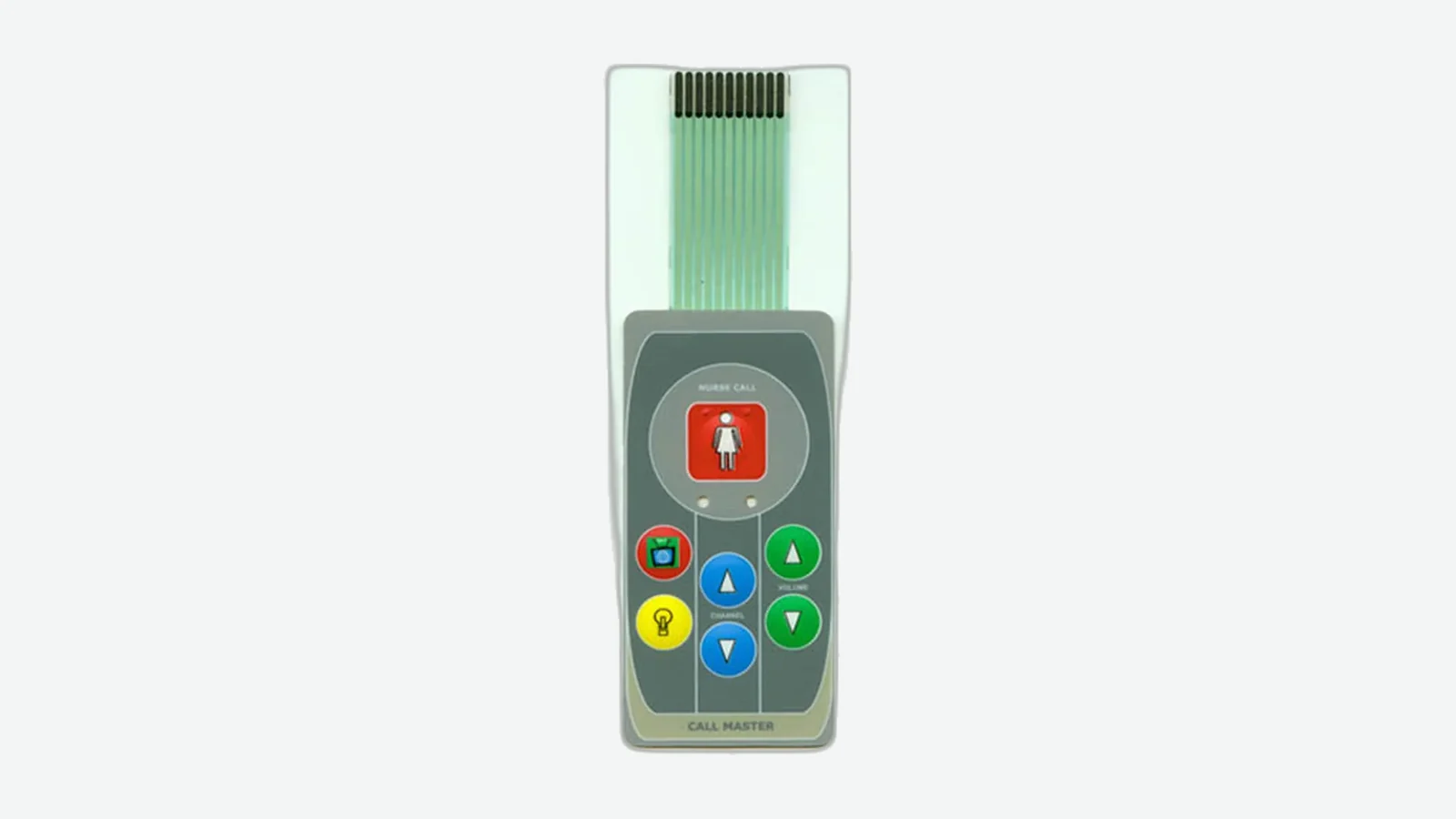
A tactile vs non tactile membrane switch decision is not a branding preference. It is a contact-architecture choice: stainless snap dome (or formed polymer dome) versus a flat upper-to-lower contact that closes without a strong mechanical click. OEM mechanical, electronics, and quality engineers at industrial, medical, automotive, marine, and equipment makers need that boundary before artwork freeze and first-article sample. This tactile membrane switch comparison separates operator feedback, force and travel, noise, gloves, cleaning, stack geometry, and approval measurements. Product families such as tactile membrane switches and non-tactile membrane switches exist for a reason—the same overlay art can hide two different contact systems. JASPER manufactures membrane switches and related HMI assemblies in Dongguan, Guangdong, and can review a dome map or flat-contact stack when drawings exist. The rules below stand without that review.
1. Quick verdict — tactile vs non-tactile at a glance
The table scores each dimension for a production-intent panel mounted on its enclosure support—not a free film sample on a bench.
| Dimension | Tactile (metal / poly dome) wins | Non-tactile (flat contact) wins | Tie / depends |
|---|---|---|---|
| Eyes-off press confirmation | ✓ | ||
| Gloved industrial operation | ✓ | ||
| Lowest acoustic click | ✓ | ||
| Flattest wipe-down face | ✓ | ||
| Lowest stack / BOM complexity | ✓ | ||
| Defined snap force with tight feel tolerance | ✓ | ||
| Sealing ownership (edge, tail, enclosure) | ✓ | ||
| Mixed critical + simple keys on one panel | Mixed zones |
One-line summary: Pick the contact system from how the operator must know a press registered—not from habit or unit cost alone.
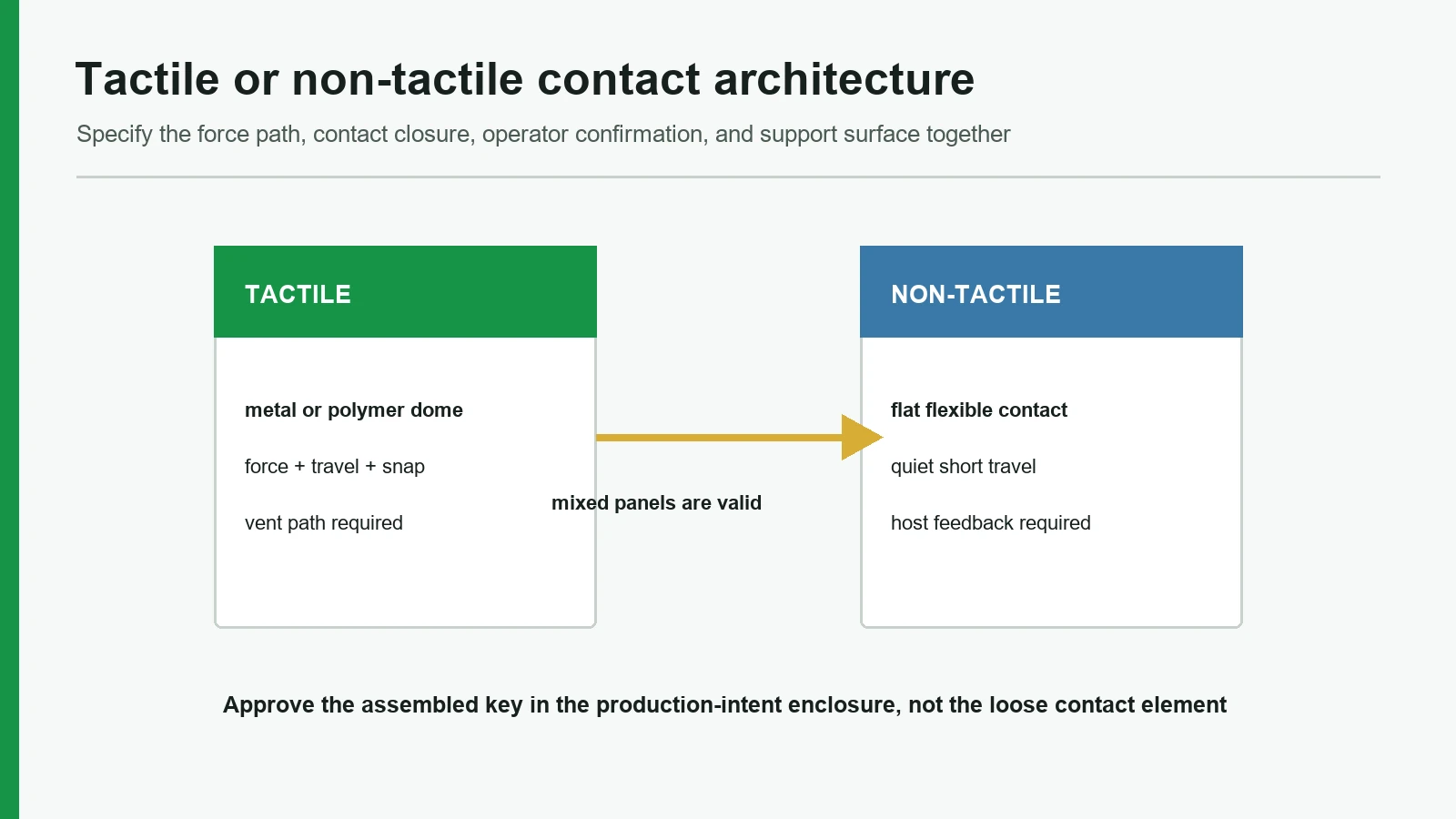
2. Definitions and stacks — metal dome vs flat contact
A membrane switch opens or closes a conductive path through a laminated flexible contact stack. The tactile versus non-tactile split is defined by how the open gap closes and what the operator feels during actuation.
2.1 Tactile membrane switch
A tactile membrane switch places a metal or formed polymer dome over the lower circuit pads. The dome collapses at its designed force, bridges the contact, and returns after release. Final force, travel, sound, and life belong to the assembled sample specification rather than a generic dome class.
2.2 Non tactile membrane switch
A non tactile membrane switch (flat contact) has no snap dome. The upper circuit or printed contact flexes through a spacer opening and meets the lower pad. Closure is real and measurable electrically; mechanical feedback is weak or absent. Confirmation usually comes from LED, display change, beep, haptics elsewhere on the product, or software state. The face can stay flatter, which helps wipe-down aesthetics when the overlay, adhesive edge, and enclosure allow it.
2.3 Stack diagrams
Metal-dome tactile (simplified)
Finger press
1. Graphic overlay (PET/PC, second-surface print, optional rim emboss)
2. Overlay adhesive
3. Dome retainer / metal dome array
4. Spacer with dome pockets + openings
5. Lower circuit (Ag on PET, or copper FPC/PCB hybrid)
6. Rear adhesive + optional shield / stiffener
7. Flexible tail + connector → host electronics
Enclosure land — flat support under each dome
Flat-contact non-tactile (simplified)
Finger press
1. Graphic overlay (often flatter; print/texture marks key zones)
2. Overlay adhesive
3. Upper circuit / upper contact (no snap dome)
4. Spacer with key openings (sets open gap)
5. Lower circuit pads
6. Rear adhesive + optional shield / stiffener
7. Flexible tail + connector → host electronics
Enclosure land — flat support under contact zones
For the full press sequence from overlay to controller boundary, see how membrane switches work. The comparison below stays on metal dome vs flat contact decisions that change drawings, BOMs, and sample plans.
3. Side-by-side tactile membrane switch comparison
| Spec / behavior | Tactile (metal dome focus) | Non-tactile (flat contact) |
|---|---|---|
| Primary feedback | Mechanical snap / click | Electrical closure + system cues (LED, UI, beep) |
| Actuation force (common RFQ language) | ~180–350 g general keys; higher for gloves | Often lighter / less “step” feel; still needs a force window if abuse is a risk |
| Travel | Short membrane travel; dome + emboss set the event | Short travel; spacer thickness and overlay stiffness dominate |
| Acoustic noise | Distinct click possible | Quieter; better for quiet rooms |
| Gloved / eyes-off use | Strong default when snap is felt through gloves | Weak unless alternate feedback is loud/visible |
| Cleaning face | Can be flat or embossed; dome pockets add geometry | Often flatter graphic; still depends on hard coat and edge seal |
| Construction extras | Dome series, retainer, pocket registration, vent path | Simpler contact map; still needs spacer, alignment, support |
| Common failure modes | Mushy snap (poor support/vent), off-center dome, force drift | Missed presses (no cue), accidental light presses, contact bounce without debounce plan |
| Electrical RFQ class (common) | Contact R often low-tens-of-Ω new; insulation high-MΩ class between nets | Same electrical class language; feel does not replace continuity specs |
| Life language | Metal domes often marketed multi-million cycle class | Flat contact life is stack- and test-dependent; not automatically “always longer” |
| Sealing | Dome/spacer must not open leak paths; IP is assembly-level (IEC 60529) | Flat face helps wipe-down; IP still needs edge, tail, enclosure proof |
Force, travel, noise, gloves, cleaning — decision notes
- Force — Write a target and tolerance (for example a general band such as 280 g ± 50 g) only if sample measurement will use a named method and production-intent support. Gloved industrial panels often need higher force than bare-finger medical bedside keys; some OEM guides extend industrial language into a roughly 300–500 g discussion band without making that a fixed catalog SKU.
- Travel — Membrane stacks are short-travel devices, often discussed in a sub-millimeter to about 0.5–2.0 mm class depending on emboss, dome, and spacer. Do not expect Cherry-style mechanical-keyboard travel. Emboss height is process-limited on PET or PC; do not treat a single marketing number as a universal travel law.
- Noise — Metal-dome click is a feature on plant-floor HMIs and a defect in quiet clinics or night-shift wards.
- Gloves — If the operator cannot look at the panel, tactile feedback is usually the safer default.
- Cleaning — Non-tactile can look and wipe cleaner, but chemical resistance still tracks overlay film (PET vs polycarbonate/PC grade such as hard-coated Bayfol/Makrofol-class films), hard coat, and second-surface print—not contact type alone.
4. Where tactile membrane switches win
Tactile construction earns its stack height when the operator needs confirmation in the finger, not only on a screen.
4.1 Eyes-off and high-consequence keys
Machine start, emergency stop adjacent functions (where membrane is allowed by the safety architecture), mode changes, and dose or recipe confirms often need a snap the operator can trust without staring at the legend. A metal-dome tactile membrane switch comparison against flat contact is one-sided here: without a snap, the user waits for a UI change that may lag, sit off-axis, or fail in sunlight.
4.2 Gloved industrial and outdoor panels
Work gloves raise the force needed to feel a soft event. Design-guide language that pushes industrial keys above the general 180–350 g band exists for that reason. Vibration and ambient noise also mask weak feedback. A crisp dome snap remains readable when a quiet flat contact does not.
4.3 Sample programs that lock a feel standard
When marketing or clinical human-factors groups approve a “click” as part of the product identity, tactile is the architecture that can be measured and retained. Dome diameter, force grade, plating class, overlay emboss, spacer pocket, and housing support must appear on the drawing. Trapped air under a collapsing dome can soften or suppress the snap when the spacer, film, or board lacks a controlled vent path.
Tactile is not automatic. If the enclosure cannot support the dome land flat, if acoustic click is forbidden, or if the panel must be an ultra-low continuous wipe surface with no emboss, metal-dome tactile is the wrong default—even for industrial brands that “always used domes last generation.”
5. Where non tactile membrane switches win
A non tactile membrane switch wins when mechanical silence, flat geometry, or simpler BOM beats finger snap—and when the product already tells the user the press registered.
5.1 Quiet rooms and continuous wipe-down faces
Laboratories, patient-adjacent equipment, office-adjacent appliances, and some food or cleanroom adjacent panels favor low acoustic signature. Flat contact avoids the metal click. A smooth overlay with clear printed zones can wipe faster than deep emboss plus dome geometry, provided the adhesive edge and hard coat match the chemistry.
5.2 Panels with strong electronic feedback
If every key already lights an LED, changes a display field, or plays a beep, the mechanical snap is optional. Non-tactile reduces dome placement, pocket tooling, and feel-variation risk. Host firmware still needs debounce and a clear “accepted” state; the switch only closes a path.
5.3 Cost and height budgets on simple key maps
Removing domes removes parts, placement steps, and one source of sample argument—when the key map is simple and abuse force is low. Cost still tracks artwork, PET/PC grade, silver circuit density, adhesive, windows, and tail connector. A cheap flat panel with a bad spacer or weak housing support fails as hard as a bad dome map.
Non-tactile is not automatic. If operators wear thick gloves, work eyes-off, or the UI cannot show state within human reaction time, flat contact shifts error risk to the user. In those jobs, “simpler stack” is the wrong optimization.
6. When each architecture is the wrong choice
6.1 Do not choose tactile when…
| Condition | Why tactile fails the job |
|---|---|
| Quiet acoustic requirement | Metal click becomes a complaint |
| Ultra-flat continuous wipe surface with no emboss allowed | Dome geometry and emboss fight the cosmetic spec |
| Enclosure cannot provide flat support under keys | Snap goes mushy or intermittent |
| Vent path cannot be defined on a sealed dome array | Trapped air changes feel over life |
| True zero-travel capacitive glass UX is required | Membrane short travel still is not capacitive HMI |
6.2 Do not choose non-tactile when…
| Condition | Why flat contact fails the job |
|---|---|
| Eyes-off operation | No finger confirmation |
| Thick gloves + high ambient noise | Soft closure is missed |
| High-consequence keys without fast UI/LED/beep | Operator uncertainty rises |
| Marketing requires a defined “click” identity | Flat contact cannot deliver snap |
| Users will expect mechanical keyboard travel | Neither membrane type supplies long travel |
6.3 Mixed zones and underdogs
One assembly can mix metal-dome keys on critical functions and flat-contact keys on low-risk menus if the spacer map, dome retainer, graphics, and electrical test plan are designed as one system. Poly-dome tactile is a middle path: softer, often quieter snap than stainless, still more feedback than flat contact—specify it as its own feel target, not as “metal dome lite” without samples. If the product truly needs glass capacitive multi-touch, stop comparing membrane contact architectures and move to a capacitive front-panel stack.
7. Decision matrix, sample approval, and test matrix
7.1 Choose-if matrix
| If your priority is… | Pick |
|---|---|
| Eyes-off or gloved confirmation | Tactile (metal dome class) |
| Quiet operation + system LED/UI feedback | Non-tactile (flat contact) |
| Defined snap force approved by human factors | Tactile with named dome force + tolerance |
| Flattest wipe-down cosmetic face | Non-tactile (verify film/coat chemistry) |
| Mixed critical + simple keys | Mixed zones on one stack |
| Long mechanical travel / keyboard feel | Neither — different technology |
| Immersion or jet IP claim | Architecture-independent — seal assembly per IEC 60529 test article |
7.2 Project input checklist (operator-first)
Send more than “tactile or non-tactile” on the RFQ:
- Operator glove type and eyes-off requirement
- Acoustic limits (quiet room vs plant floor)
- Force target and tolerance if feel is contractual
- Key size, pitch, and which keys are high-consequence
- Overlay emboss allowed? (rim / pillow / none)
- Housing material, flatness, and support under each key
- Vent path intent if metal domes are used
- Alternate feedback plan for non-tactile keys (LED, display, beep)
- Cleaning chemistry and frequency
- Life or cycling requirement with test method name (for example ASTM F1578-family contact-closure cycling conditions)
- Tail exit, connector, and electrical targets (contact resistance / insulation class as RFQ language)
- Whether mixed tactile/non-tactile zones are allowed
Drawings and photos show layout. They do not replace a force curve measured on the production-intent support.
7.3 Sample-approval and test matrix
Use quality and testing gates that match the architecture:
| Check | Tactile sample | Non-tactile sample |
|---|---|---|
| Continuity / opens-shorts on key matrix | Required | Required |
| Contact resistance vs RFQ class | Required | Required |
| Actuation force on production-intent housing | Required (dome feel) | If force window specified |
| Snap consistency / mushy-key screen | Required | N/A (use “accepted press” UX check) |
| Dome registration vs artwork | Required | N/A |
| Vent-related feel anomaly | Review if sealed dome array | N/A |
| Acoustic check in quiet fixture | If noise is a requirement | If silence is a requirement |
| Cleaning wipe trial on overlay | If chemistry specified | If chemistry specified |
| Contact-closure cycling (ASTM F1578 family or agreed method) | When life is contractual | When life is contractual |
| Mounted IP test (IEC 60529 configuration) | Only if rating is claimed | Only if rating is claimed |
Bench continuity without housing support is not feel approval. Feel without electrical limits is not production release.
8. Frequently asked questions
What is the difference in a tactile vs non tactile membrane switch?
A tactile membrane switch uses a metal or poly dome to create a snap when the circuit closes. A non tactile membrane switch uses flat contact through a spacer opening and gives little mechanical click, so LED, display, or sound usually confirms the press.
Is metal dome vs flat contact the same decision?
Almost. Metal dome vs flat contact is the hardware split behind most tactile vs non-tactile membrane switch programs. Poly-dome tactile is a third feel class and needs its own force and noise samples.
Which is better for gloved industrial panels?
Tactile metal-dome construction is the usual default when gloves and eyes-off use dominate. Specify a force band above soft consumer keys and validate on the real housing.
Which is better for medical wipe-down panels?
Non-tactile often wins on quiet operation and flat cosmetics when the product supplies visual or audible feedback. Tactile still wins on high-consequence keys if human factors demand a snap. Component choice is not finished-device validation.
Does non-tactile always last longer?
No. Vendor articles sometimes claim large life multipliers; those numbers are not universal. Life depends on dome series (if any), force, overlay, contaminants, support, and the named cycling method such as an ASTM F1578-family program.
Can one panel mix tactile and non-tactile keys?
Yes, when the spacer map, dome retainer, graphics, circuit, and inspection criteria are designed together. Mixed zones need explicit sample criteria per key class.
Does tactile or non-tactile decide IP65/IP67?
No. IEC 60529 rates the evaluated enclosure/assembly configuration. Contact architecture changes internal geometry; edge seal, tail exit, connector cavity, and test method still own the IP claim.
What should be sent for a key-feel review?
Key layout, artwork, enclosure support drawing, glove/noise/cleaning conditions, force target if any, dome or flat-contact preference, electrical targets, and any contractual life test method. Existing approved samples help more than photos alone.
Technical References
- Source: Snaptron metal dome definitions and engineering guide. Accessed 2026.
- Source: Snaptron metal dome test procedures. Accessed 2026.
- Source: ASTM F1578-24 membrane switch contact closure cycling. Accessed 2026.
- Source: IEC 60529 enclosure protection classification. Accessed 2026.
- Source: 3M 7956MP membrane switch spacer technical data. Accessed 2026.
- Source: Molex membrane switch product construction guide. Accessed 2026.
- Source: Covestro Makrofol and Bayfol graphic film selector. Accessed 2026.
- Source: ISO 9241-210 human-centred design lifecycle. Accessed 2026.
- Source: RoHS Directive 2011/65/EU restricted substances scope. Accessed 2026.
- Source: European Chemicals Agency REACH candidate-list framework. Accessed 2026.
- Source: IEC 60068-2-6 sinusoidal vibration testing. Accessed 2026.
Freeze the operator feedback architecture
Send the key map, glove condition, target force and travel, sound expectation, support surface, and sample approval method.